
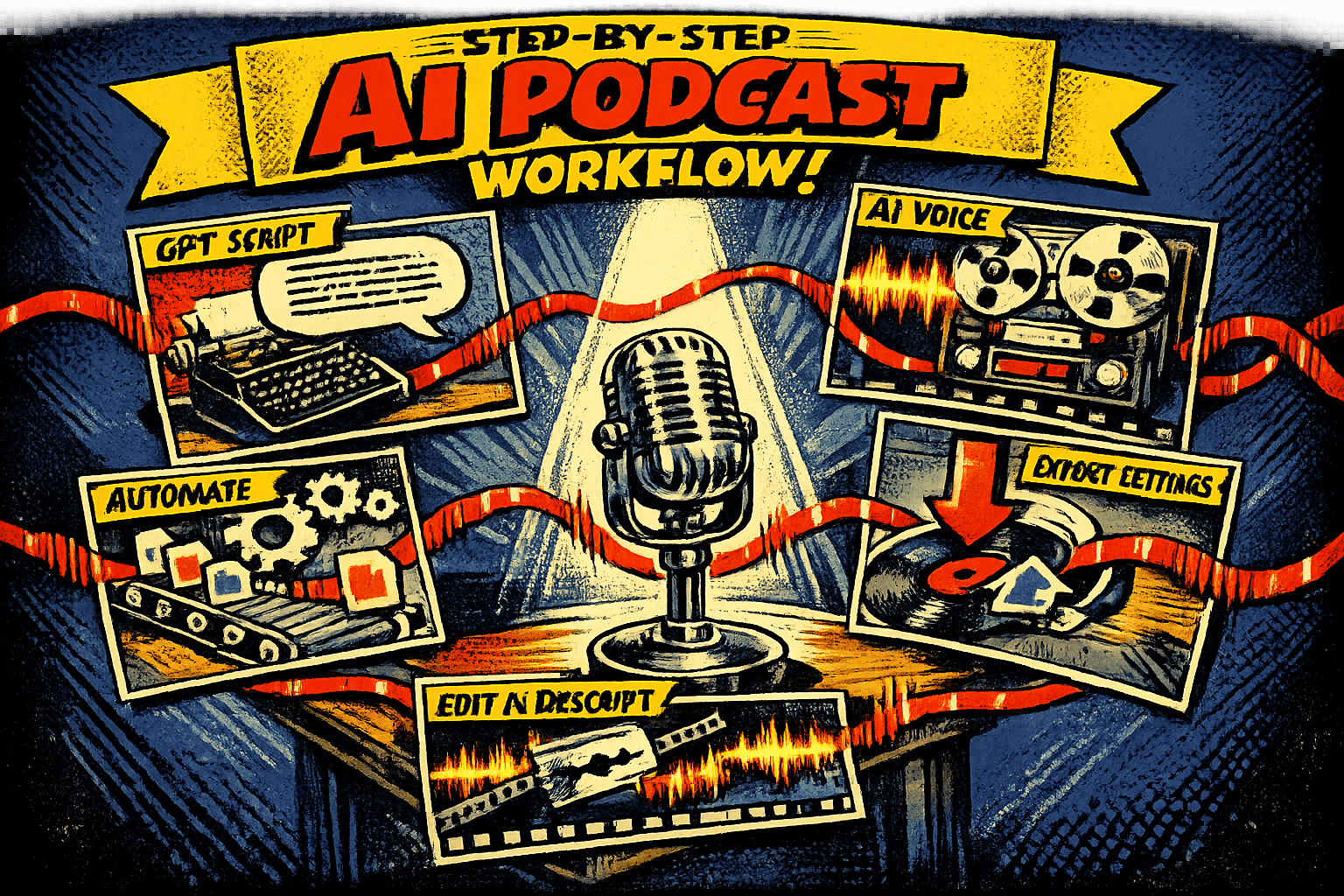
Step-by-Step AI Podcast Workflow
Podcasting no longer requires expensive equipment or hours of editing. With AI tools like GPT for scripting, ElevenLabs for voice synthesis, and Descript for editing, you can create professional podcasts in a fraction of the time. Here’s how it works:
- Write Scripts with GPT: Generate ideas, craft outlines, and refine conversational scripts for natural flow.
- Turn Scripts into Audio with ElevenLabs: Use AI voices or clone your own for high-quality narration.
- Edit Audio with Descript: Edit directly from transcripts, remove filler words, and add music or effects.
- Export and Publish: Finalize your podcast in MP3 format, embed metadata, and distribute via hosting platforms like Spotify or Apple Podcasts.
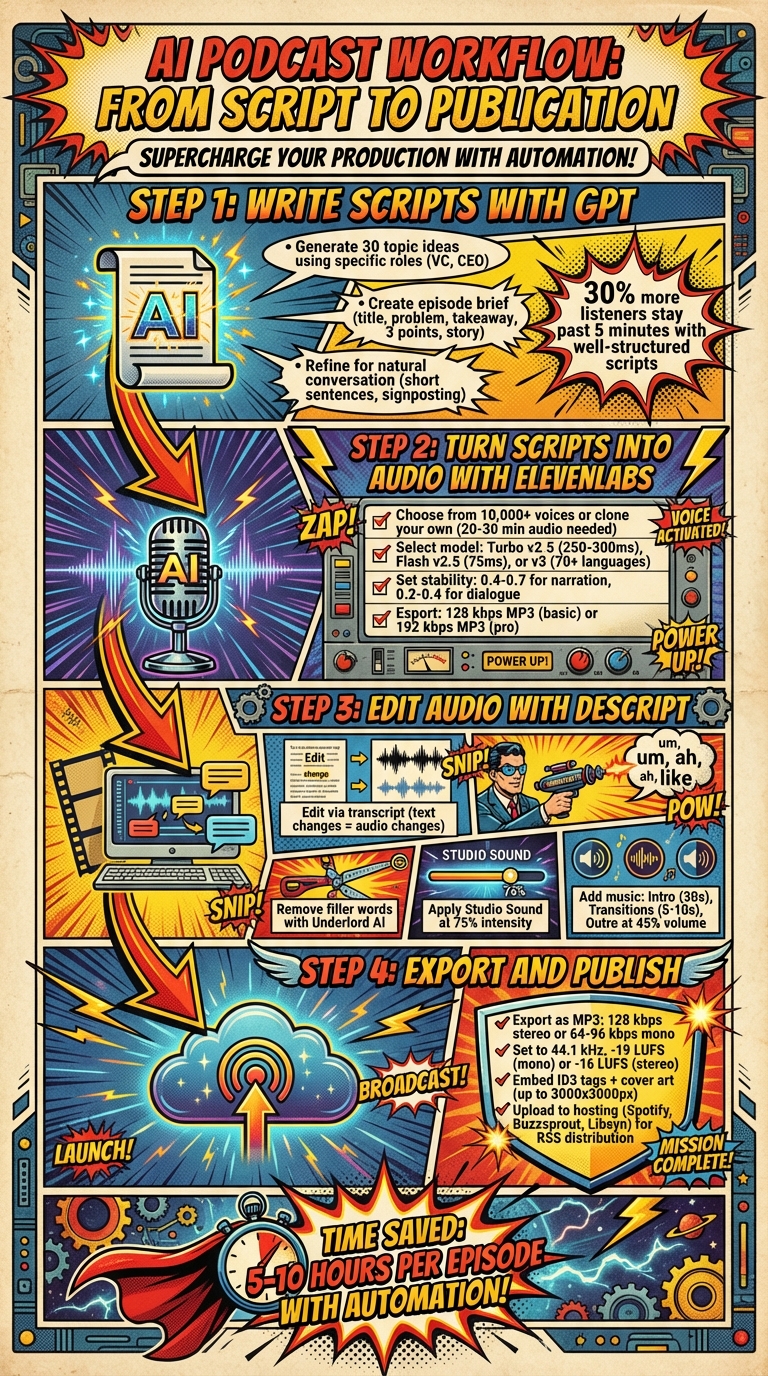
AI Podcast Production Workflow: 4-Step Process from Script to Publication
Step 1: Write Podcast Scripts with GPT
GPT can turn a blank page into a structured outline, giving you a starting point while it handles the finer details. A two-step method works best: first, create a concise outline with clear segment goals; then, generate a conversational transcript to bring it to life.
Generate Topic Ideas with GPT
Start by building a backlog of 30 ideas that take broad business themes and turn them into specific, engaging episode angles. Skip generic prompts and instead use specific roles like "venture capitalist" or "startup CEO" to generate richer, more targeted ideas. Frameworks like "myth vs. fact" or "case study breakdowns" can help craft episodes that feel fresh and distinct.
Before diving into scripting, ask GPT to create a brief that includes key elements: a working title, the listener’s problem, a one-sentence takeaway, three main points, one story, and common misconceptions. For business-focused content, push GPT for "uncommon strategies" or "peculiar ideas" to stand out from the usual advice. With nearly 40% of listeners discovering shows through in-app searches, having unique angles is crucial to grabbing attention.
Refine Scripts for Natural Conversation
GPT’s output is often better suited for reading than speaking, so you’ll need to tweak it for clarity and flow. Read the script out loud to catch awkward phrasing, and make adjustments to ensure it sounds natural. Use prompts like "Favor short sentences" or "Simplify language" to create a more conversational tone.
Ready to leave the job you hate and find the fastest path to online wealth? Learn the best asset you have right now to leverage income and build financial run way in my bestseller "Fire Your Boss." Click here to download the book for free.
Add signposting phrases like "here’s the main takeaway" to guide your audience through the episode. Podcasts with well-structured scripts see up to 30% more listeners sticking around past the five-minute mark. To keep your delivery engaging, include bracketed notes like [Pause], [Emphasis], or [Laugh] – these small cues can make a huge difference in preventing a robotic tone.
The best podcasts feel like you’re overhearing a fascinating conversation that just happens to be recorded.
Once your script feels polished and conversational, you’re ready to transform it into professional-quality audio using tools like ElevenLabs. After your episode is live, you can repurpose your podcast content into multiple social posts to maximize its reach.
Step 2: Turn Scripts into Audio with ElevenLabs
After refining your script, it’s time to bring it to life with ElevenLabs Studio. This platform makes creating professional-quality audio straightforward. You can upload your script as a TXT, DOCX, or PDF file, paste a URL to import text, or even write directly within the tool. The key to great results lies in choosing the right voice, selecting the best model, and tweaking the settings to match your needs.
Select or Clone a Voice
ElevenLabs offers an extensive library of over 10,000 voices, featuring authentic accents and a range of character options. If maintaining brand consistency is a priority, Professional Voice Cloning allows you to create a near-perfect digital replica of your voice – making your podcast instantly recognizable. To train the AI effectively, podcast hosts can provide 20–30 minutes of high-quality audio, enabling it to capture natural nuances for longer episodes. For smaller projects or quick drafts, Instant Voice Cloning is a faster alternative.
You can also craft a custom voice by using descriptive prompts. Specify attributes like age (e.g., "middle-aged"), accent (e.g., "thick French accent"), or tone (e.g., "warm" or "gravelly"). Including terms like "studio-quality recording" helps ensure clear, polished output.
Create Professional Audio Files
Choosing the right model is crucial for achieving the best results. For English-language podcasts, stick with English-only models for better stability compared to multilingual options. If you need a balance between speed and quality, Eleven Turbo v2.5 is a solid choice with a latency of 250–300ms. For faster results at a lower cost, Eleven Flash v2.5 offers ultra-low latency (about 75ms). Meanwhile, the Eleven v3 model is ideal for dramatic or emotional content, supporting over 70 languages and multi-speaker dialogue.
Fine-tune your voice settings to match your podcast’s tone. Stability settings between 0.4 and 0.7 work well for narration, while a range of 0.2 to 0.4 adds expressiveness to dialogue. Keep Similarity at 75% or higher to maintain a consistent vocal identity. For better pronunciation, write out numbers as words (e.g., "one" instead of "1"). To achieve precise delivery, use Actor Mode by uploading your own recording to guide the AI’s tone, accent, and rhythm. You can also create a Pronunciation Dictionary to ensure consistent handling of brand names and acronyms.
"To our delight, everyone loved both the story and the voice, remarking that it sounded like one of us was narrating the story. No one suspected it was an AI voice." – Tapan Gupta, Co-Founder, Audio Pitara
When your audio is ready, export it in the format that suits your needs. Free, Starter, and Creator plans offer 128 kbps MP3 or WAV files, while Pro, Scale, Business, and Enterprise plans provide Ultra Lossless options, including 16-bit, 44.1 kHz WAV or 192 kbps MP3 files. Once exported, you can move on to editing and polishing your audio in Descript.
Step 3: Edit Audio with Descript
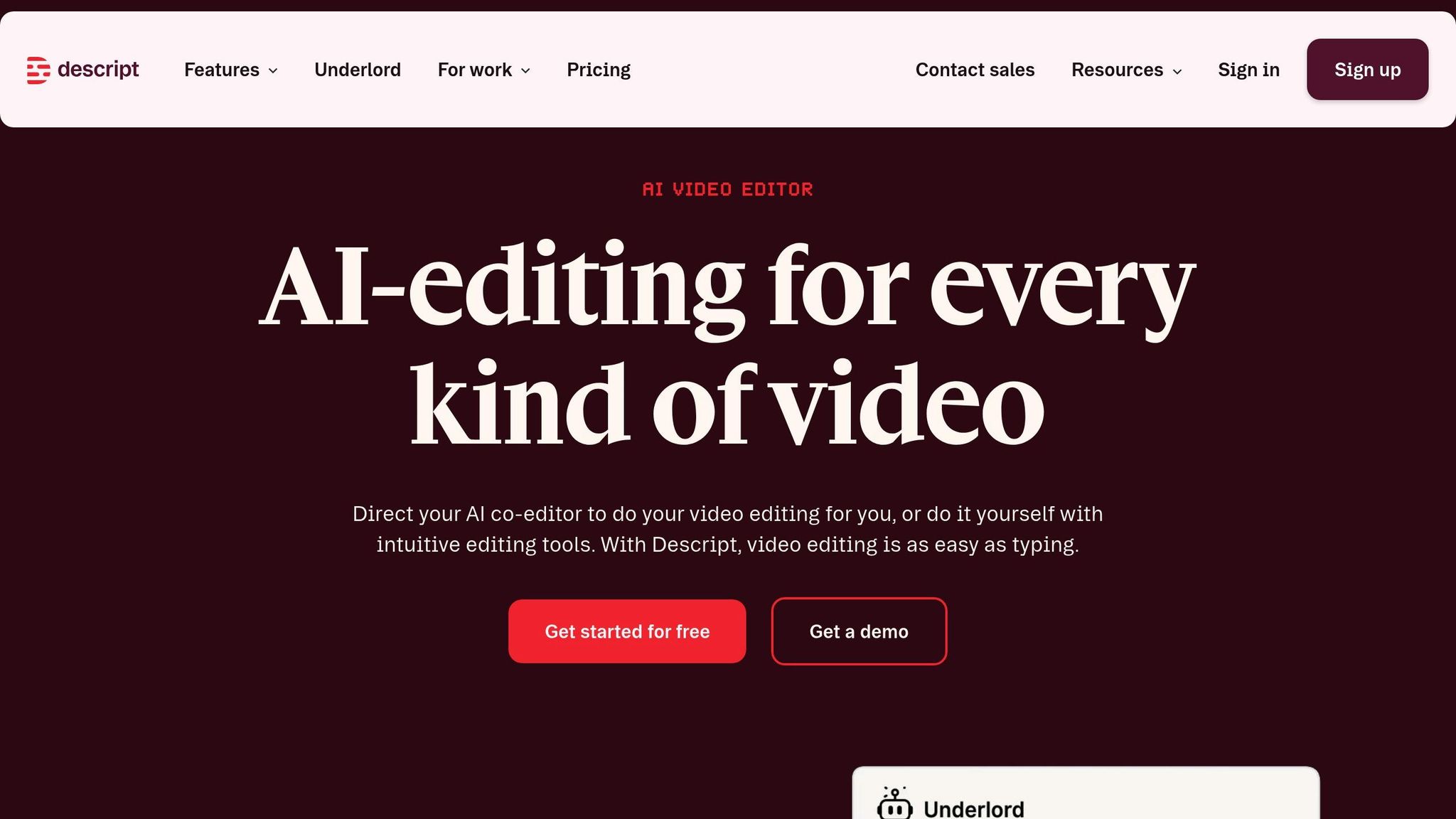
Once you’ve got your audio files from ElevenLabs, Descript makes editing a breeze by syncing your transcript directly with the audio. When you delete, cut, or paste text in the transcript, the same changes are instantly applied to the audio. No more endless scrolling through waveforms trying to find mistakes – it’s all handled through text edits.
Edit Using Transcripts
Start by reviewing your transcript before listening to the audio. According to Brandon Copple, Head of Content at Descript, reading the transcript first streamlines the editing process, helping you quickly spot areas that need attention. Use the Underlord AI assistant to handle repetitive cleanup tasks like removing filler words ("ums" and "uhs"), trimming retakes, and shortening gaps between words. To clean up your project in one go, press Cmd+K (Mac) or Ctrl+K (Windows) to open the Action bar, then select "Remove filler words".
For transcript typos, press Opt+C (Mac) or Alt+C (Windows) to enter Correct mode and make fixes. If you want to mute sections without permanently deleting them, use Cmd+Delete (Mac) or Ctrl+Backspace (Windows) to Ignore text – this strikes it out while muting the audio, giving you the option to restore it later. To improve audio quality, apply Studio Sound to reduce background noise and echo while enhancing voice clarity. Set the intensity slider to about 75% for a polished but natural sound.
Once the dialogue is cleaned up, it’s time to elevate your production with music and sound effects.
Add Music and Sound Effects
After refining your dialogue, enhance the listening experience by adding music and sound effects. Use the Timeline view to manage music, effects, and transitions. Descript offers a built-in library of royalty-free music and sound effects that you can simply drag into your timeline. Typically, podcasts use three types of music: Intro/Theme music (30 seconds or less to set the tone), Transition stings (short 5–10 second clips to shift between topics), and Outro music (fading in during the wrap-up).
Keep background music at about 45% volume so it complements your voice without overpowering it. Add a 1-second fade-in and fade-out to all music layers for smooth transitions. As Ashley Hamer, Managing Editor at Descript, puts it:
"The podcasts that are well-edited are the ones that you don’t notice are well-edited. If you notice the editing, that’s a sign it’s not well done".
The goal is to create a seamless audio experience that keeps your listeners engaged without drawing attention to the production itself.
Step 4: Export and Publish Your Podcast
Once your editing is complete, it’s time to export and publish your podcast. This step wraps up the AI-powered workflow that started with GPT scripting, passed through ElevenLabs for voice synthesis, and was refined in Descript.
Export in the Right Format
When it comes to podcast distribution, MP3 is the gold standard. It works seamlessly across nearly all devices, apps, and browsers. While you might have worked with WAV files during recording and editing to maintain quality, your final file should be an MP3 for universal compatibility. As Podcastle explains:
"If your goal is to publish efficiently and make your show widely accessible, MP3 is usually the right call."
For spoken-word podcasts, exporting in mono instead of stereo is a smart move. It cuts down file size without hurting audio quality. Aim for a bitrate of 128 kbps for stereo or 64–96 kbps for mono to strike a balance between clarity and size. Stick to a sample rate of 44.1 kHz and a loudness level of -19 LUFS for mono or -16 LUFS for stereo. Use Constant Bit Rate (CBR) encoding instead of Variable Bit Rate to ensure smooth playback across platforms.
Don’t forget to embed ID3 tags into your MP3 file. These tags should include details like the artist name, track title, publishing year, and square cover art (up to 3,000 x 3,000 pixels). Keep in mind that Spotify requires a minimum bitrate of 192 kbps, while Apple Podcasts recommends 128–256 kbps for stereo and 64–128 kbps for mono.
Upload and Monetize Your Podcast
Once your file is ready, upload it to a podcast hosting service to generate an RSS feed for distribution. Some popular hosting platforms include Spotify for Podcasters, Buzzsprout, Libsyn, and Captivate.
Start by logging into your hosting account, uploading your MP3, and filling in the episode metadata. Your hosting provider will create an RSS feed URL, which you’ll submit to directories like Apple Podcasts Connect and Spotify for Creators. After this initial setup, any new episodes you publish will automatically sync to these platforms.
Make sure your hosting account includes a contact email in the RSS feed. Spotify requires this to send a verification code for listing your podcast. Once your show is live across multiple platforms, you can explore ways to earn revenue. Options include sponsorships, listener support programs, or leveraging dynamic ad insertion tools offered by many hosting services.
Automate and Scale Your Podcast Production
Once you’ve nailed down your manual workflow, it’s time to take things to the next level by automating the process. Tools like GPT, ElevenLabs, and Descript can be linked using platforms such as n8n, Zapier, or Make. Here’s how it typically works: a trigger – like an RSS feed update or a manual topic input – kicks off the process. From there, GPT generates the script, ElevenLabs handles voice synthesis, and the final product is stored or sent out as a notification. This automation builds on your existing workflow, keeping things efficient at every stage of production.
Automate Repetitive Steps
After refining your manual process, automating repetitive tasks can save time while keeping quality intact. The secret? API integrations. For example, GPT-4/5 can generate scripts in a structured JSON format, complete with embedded tags like [warmly], [chuckles], or [sfx: firework] to guide tone and pacing. ElevenLabs’ "Create Podcast" endpoint can then transform these scripts into audio, using "conversation" mode for dialogues or "bulletin" mode for monologues.
Although Descript doesn’t fully support API automation, its Templates feature is a game-changer. You can apply your go-to edits, effects, and Studio Sound to new projects automatically. Descript’s Underlord AI assistant can also clean up filler words and trim unnecessary dialogue. Plus, watch folders make it easy to import audio exports for further tweaking without lifting a finger.
Produce More Episodes Faster
By combining these automation tools, you can significantly cut down production time. Some workflows estimate saving 5–10 hours per episode. For example, tools like Firecrawl allow you to batch-process multiple web pages or articles into Markdown files ready for large language models, speeding up research. To keep things running smoothly, implement error handling – like Try/Catch blocks in n8n – to alert you if an API call fails, pausing the automation until the issue is resolved.
This streamlined setup makes it easier to churn out multiple episodes or even entire series without overloading yourself. By cutting down on tedious tasks, you can focus on growing your audience and delivering consistent, high-quality content.
Conclusion
Using AI tools to create a podcast isn’t just about saving time – it’s about working smarter. By combining tools like GPT for scripting, ElevenLabs for voice synthesis, and Descript for editing, you can streamline your production process and reclaim 5–10 hours per episode. This setup transforms podcasting from a labor-intensive task into a scalable system where you control both the pace and the output.
The real advantage comes when you integrate automation into the mix. Platforms like n8n or Zapier allow you to connect these tools seamlessly, enabling you to produce daily news updates, multilingual versions, or even entire episode series without burning out. As ByteBridge aptly puts it:
"AI doesn’t replace that craft – but it does turn podcast creation into a modular pipeline where you can speed up (or even automate) parts of the process while keeping human taste and editorial control where it matters".
For entrepreneurs, especially those running location-independent businesses, this system can be a game-changer. GPT ensures a steady flow of creative ideas, ElevenLabs lets you replicate your voice for consistent audio quality, and Descript’s text-based editing makes polishing episodes a breeze. Together, these tools create a repeatable process that allows you to focus on growing your audience rather than getting stuck in production details.
That said, it’s crucial to add a personal touch to every AI-generated script to reflect your voice and authority. Transparency is equally important – always disclose the use of synthetic voices in your show descriptions to maintain trust with your audience.
FAQs
How do I make AI scripts sound natural when spoken?
To make AI scripts sound more natural, write as if you’re having a casual conversation. Stick to everyday language, steer clear of overly formal or complicated wording, and structure sentences the way people naturally speak. Use punctuation thoughtfully and keep sentences short and easy to follow – this helps AI voices flow better and sound more human. The goal is to create audio that feels smooth and relatable, not stiff or robotic.
How much audio do I need to clone my voice well?
To create a convincing AI clone of your voice with tools like ElevenLabs, start with at least 60 seconds of clear, high-quality audio. Make sure the recording showcases natural variations – things like changes in pitch, breathing patterns, and how you enunciate words. These details are what define your unique vocal style and help the AI generate a voice that feels lifelike.
What export settings should I use to meet Spotify and Apple requirements?
To ensure your podcast meets the technical requirements for Spotify and Apple Podcasts, export your audio in either MP3 or AAC format with a bitrate between 128–256 kbps for stereo. Adjust the loudness to match platform-specific standards: -14 LUFS for Spotify and -16 LUFS for Apple Podcasts. Using platform-specific presets can help you comply with necessary specifications, including sample rates and formats.
Related Blog Posts
- How to Start a Side Hustle While Working Full Time
- How Do I Create Passive Income Streams? 8 Answers
- How to Validate Business Ideas Before Quitting Your Job
- ChatGPT vs. Claude: Blog Formatting Comparison
Ready to leave the job you hate and find the fastest path to online wealth? Learn the best asset you have right now to leverage income and build financial run way in my bestseller "Fire Your Boss." Click here to download the book for free.