

AI Tools for Monetizing Webinars
AI tools are changing how webinars make money. Instead of relying on live attendance, platforms now use automation to create 24/7 sales systems. These tools handle everything – like generating scripts, managing payments, and personalizing follow-ups – so you can focus on scaling your business. Here’s a quick breakdown of the top platforms:
- EasyWebinar: automates sales funnels and integrates payments seamlessly. Plans start at $36/month.
- Livestorm: Focuses on lead generation and content repurposing. Starts at $105/month.
- WebinarKit: Uses AI to create scripts and slides in minutes. Starts at $28/month.
- BigMarker: Designed for enterprises with broadcast-quality features. Custom pricing.
- eWebinar: Specializes in interactive, automated webinars. Starts at $99/month.
Each platform is designed to boost engagement, automate workflows, and increase revenue. Choosing the right one depends on your goals – whether it’s live-like automation, enterprise-level tools, or AI-powered content creation.
1. EasyWebinar
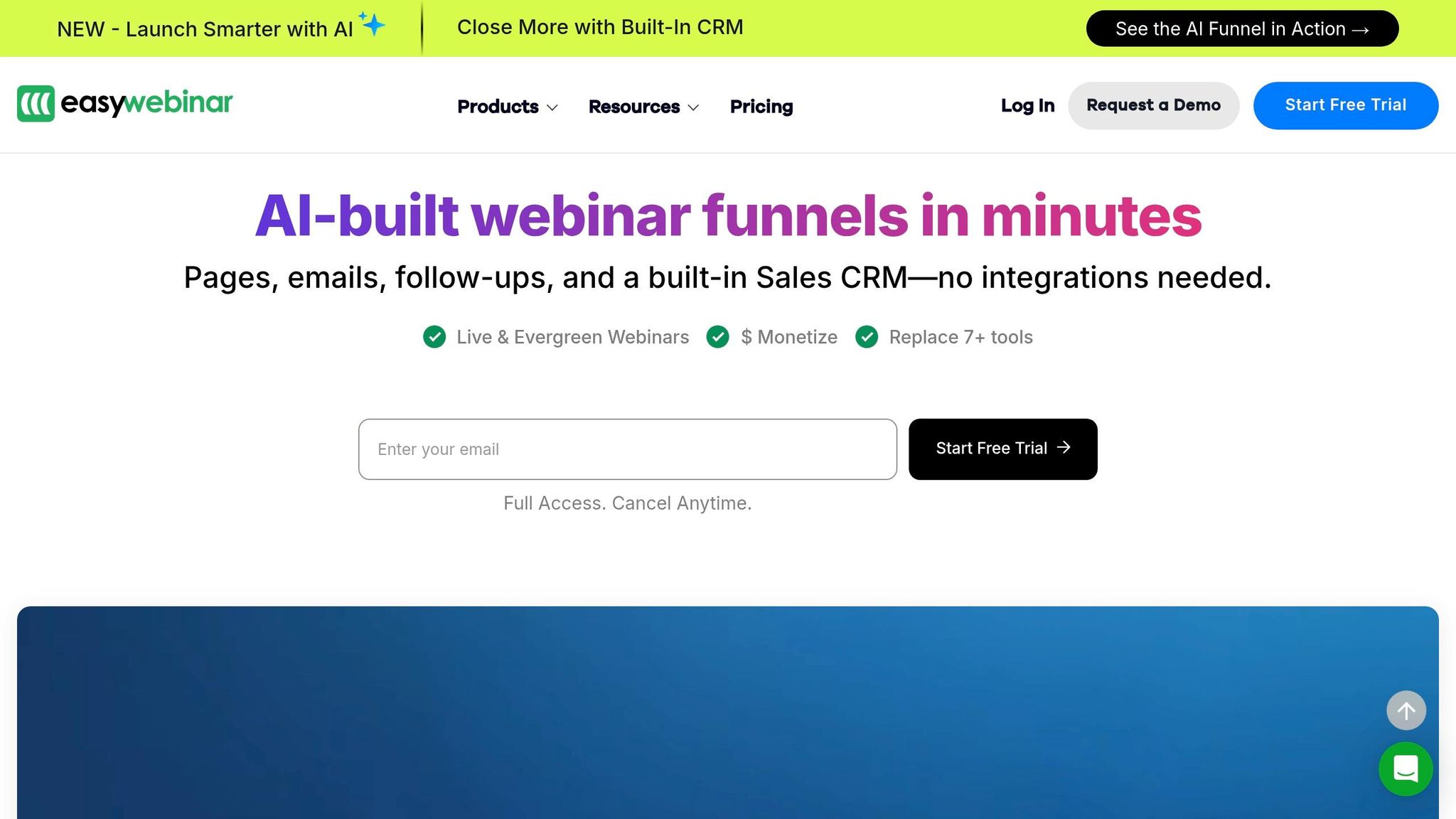
EasyWebinar takes a single webinar recording and turns it into a 24/7 sales engine, perfectly aligning with its promise of creating ongoing revenue streams. Trusted by over 50,000 creators, coaches, and marketers, it handles everything from registration to payments and follow-ups automatically.
Monetization Features
This platform makes earning from webinars straightforward with its built-in ticketing and secure checkout system. You can charge for live, simulive (pre-recorded content presented as live), or evergreen webinars at a price you set. From registration to delivering access links, EasyWebinar manages every step.
The results speak for themselves. Users have reported impressive earnings, with some generating between $750,000 and $5 million from a single webinar funnel. One entrepreneur scaled monthly revenue from $10,000 to $200,000 using this system.
Ready to leave the job you hate and find the fastest path to online wealth? Learn the best asset you have right now to leverage income and build financial run way in my bestseller "Fire Your Boss." Click here to download the book for free.
EasyWebinar’s EasyCRM feature categorizes leads into Hot, Warm, or Nurture groups, automating follow-up emails, call reminders, and behavior-based actions. This system ensures no potential revenue slips through the cracks.
For agencies and consultants, the Agency Pro plan offers a reselling option. At $399/month (or $333/month annually), it includes unlimited client sub-accounts and allows users to keep 65% of recurring revenue.
Automation Capabilities
The platform’s AI Webinar Builder simplifies setup by creating landing pages, email sequences, polls, and offers in minutes. All you need to do is answer 12 simple questions.
After hosting a live session, you can turn your recording into an evergreen funnel with a single click. Simulive technology broadcasts pre-recorded content as if it were live, complete with automated chat, polls, and timed offers to mimic the energy and urgency of live events. This feature ensures you can keep engaging your audience even when you’re not there.
"With a full-time family and job, EasyWebinar allowed me to generate revenue automatically!"
- Jason Caruso, Online Marketing Expert
To boost attendance, just-in-time scheduling starts webinars 15, 30, or 60 minutes after someone registers. This reduces wait times and increases show-up rates. So far, EasyWebinar has hosted over 200,000 webinars and processed more than 70 million registrations.
Payment Integration
EasyWebinar integrates seamlessly with Stripe, PayPal, and PayU, eliminating the need for complicated third-party tools. Once a payment is processed, participants are automatically registered and sent access details along with reminder emails. One user leveraged this system to sell a $10,000 product, booking 15 calls and generating $20,000 in just 48 hours.
The platform’s pricing starts at $44/month (or $36/month if billed annually). Higher-tier plans unlock features like paid webinar options, extended viewer limits (up to 500,000 automated viewers), and agency reselling tools.
Audience Engagement Tools
Keeping your audience engaged is easy with tools like real-time polls, Q&A sessions, and the "Attendee Spotlight" feature, which lets you bring participants onto the virtual stage. These interactive elements work in both live and simulive formats.
Timed offers with countdown timers add urgency, while custom CTA buttons can be triggered based on viewer actions to drive purchases at peak engagement moments. With over 12 million interactions tracked, EasyWebinar provides detailed insights into what works best for conversions.
"I personally use EasyWebinar and they are the best. I moved from using other platforms and nothing compares to their reliability and customer support!"
- Amy Porterfield, Online Marketing Expert
With a 4.4/5 star rating from hundreds of marketing professionals, EasyWebinar stands out as a reliable, all-in-one solution. Considering the average webinar software stack costs between $505 and $1,400 per month, this platform replaces the need for multiple tools – saving both time and money.
2. Livestorm
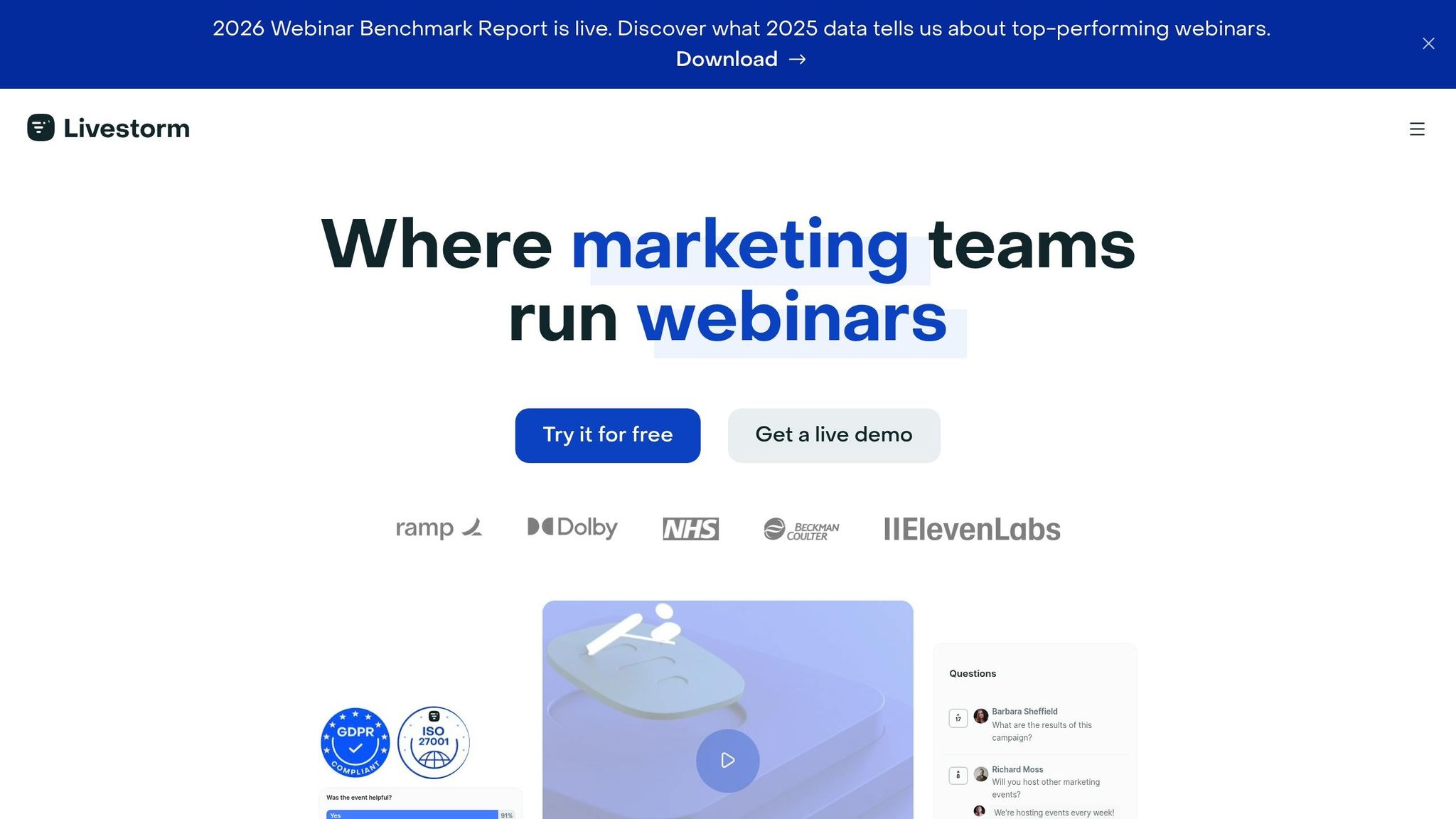
Livestorm prioritizes lead generation and content repurposing over direct ticket sales. With a 4.7/5 rating on G2 and recognition as the #1 Momentum Leader in webinar software, it’s designed for teams aiming to turn a single event into multiple revenue streams.
Monetization Features
Livestorm focuses on increasing the value of leads rather than relying on one-time ticket sales. Its custom-branded registration pages guide leads through a high-converting sales funnel automatically. Companies using Livestorm report a 53% higher attendance rate compared to other platforms, boosting their revenue potential. The platform’s AI-powered tools convert webinar transcripts into blog drafts, social media posts, and email sequences, extending the impact of a single event without extra effort.
Harmonie Mutuelle’s marketing team experienced substantial growth with Livestorm. They tripled their registrants and doubled the number of workshops they hosted in just one year.
"Since we started using Livestorm to broadcast our webinars, the number of registrants has tripled thanks to the reminder features. The simplicity of the tool has also saved us precious time."
- Marketing Team, Harmonie Mutuelle
Automation Capabilities
Livestorm automates the entire webinar process. You can schedule simulive events with automated start, playback, and end times, directing attendees to pricing or checkout pages when the event concludes.
Its AI tools help create webinar titles, outlines, and scripts, while also offering real-time captions in over 100 languages and searchable transcripts for easy content repurposing. Organizations using Livestorm report saving 80% of the time typically spent on webinar workflows, with many achieving a 3x ROI within three years.
Payment Integration
While Livestorm doesn’t include built-in payment processing, it integrates with Stripe via Zapier to streamline transactions. For instance, when someone registers for your webinar, the system can automatically generate a payment or payment link in Stripe. You can also set up workflows to add new Stripe customers as webinar participants or create Stripe customer profiles for each registrant.
Plans start at $0/month for a free version, which includes unlimited events with 20-minute sessions and up to 30 monthly active contacts. The Pro plan begins at $105/month (billed annually) and offers 4-hour sessions with 1,000 annual active contacts. Enterprise plans are available with custom pricing, 12-hour sessions, and integrations with tools like Salesforce and Marketo.
Audience Engagement Tools
Livestorm keeps audiences involved with features like automated polls, Q&A sessions, and file sharing that can be triggered at specific times. Its browser-based platform eliminates the need for downloads, making it more accessible – especially for enterprises with strict IT policies.
Pierre Vandenberghe, Content Marketer at Recruitee, highlights how Livestorm’s analytics help identify which topics resonate most with audiences and lead to higher conversions.
"We like using Livestorm for content creation and online events because of its advanced analytics. We can measure and track data with Livestorm and learn what is most impactful for our audiences by simply looking at the dashboard."
- Pierre Vandenberghe, Content Marketer, Recruitee
Livestorm’s combination of powerful automation and audience engagement tools sets a strong standard as we move on to explore WebinarKit’s features.
3. WebinarKit
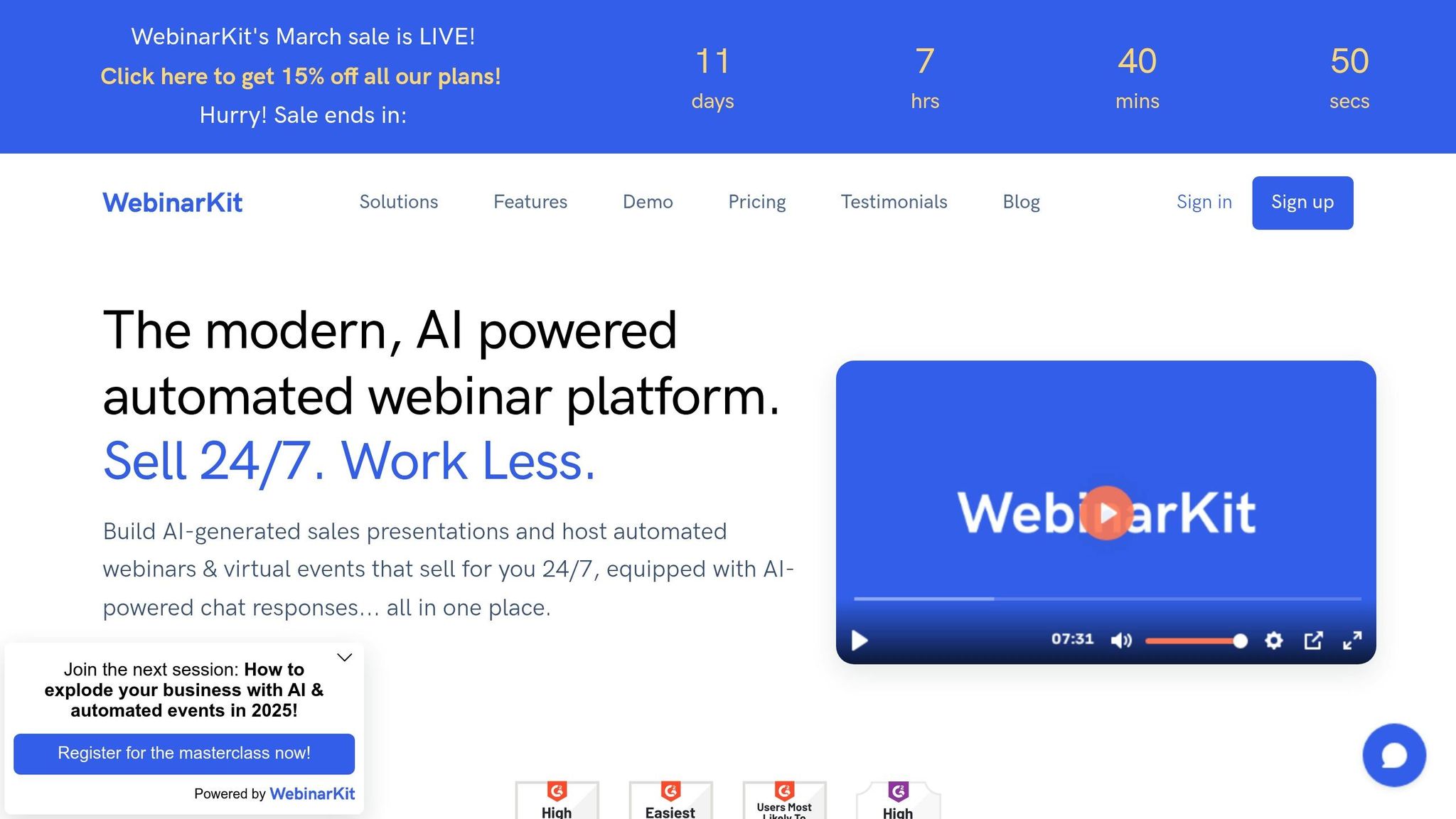
WebinarKit isn’t just about hosting webinars – it’s about turning them into round-the-clock sales machines. With a 4.8/5 rating on G2 and over 18,000 businesses on board, this platform is designed for entrepreneurs who want to automate their sales process using webinars as the driving force.
Monetization Features
One of WebinarKit’s standout tools is its AI Sales Agent – an automated chat system that identifies potential buyers, addresses objections, and delivers personalized calls-to-action during events. Additionally, the AI Creator Suite quickly generates webinar scripts and presentation slides based on your product details or website URL, saving time and cutting down on copywriting expenses. You can also display clickable, time-sensitive offers with countdown timers to encourage immediate purchases.
Arthur Root, Founder & CEO of Nostra Software, shared that WebinarKit’s automated framework helped him achieve a 20%+ conversion rate for demo bookings, noting that the system’s ability to pre-qualify prospects resulted in "more qualified calls with less work". Meanwhile, Gideon Rotteveel of Delka Talents reported an impressive $25,000 in sales within just one week of launching his automated webinar:
"I can’t believe it, I did 5 sales at $5,000 already in the first week of the webinar being live!"
- Gideon Rotteveel, Delka Talents
Automation Capabilities
WebinarKit schedules webinars at intervals of 5, 10, or 15 minutes, ensuring you capture leads when their interest is at its peak – no live hosting required. The platform automates the entire sales funnel with built-in registration, thank-you, and replay pages designed to boost conversions. Replay pages, in particular, can increase profits by up to 50% by engaging those who missed the original session.
It also segments audiences based on how much of the presentation they watched (25%, 50%, 75%, or 100%) and triggers targeted follow-up campaigns accordingly. To simulate a live experience, WebinarKit’s Chat Simulator adds pre-set messages and calls-to-action at specific moments during the webinar. Combined with automated email, SMS, and Google Calendar reminders, the platform ensures high attendance without requiring manual input.
Payment Integration
While WebinarKit doesn’t include built-in payment processing, it integrates seamlessly with over 2,000 apps via Zapier and Pabbly Connect. This allows connections with platforms like Stripe, PayPal, Razorpay, and WooCommerce for smooth payment workflows. You can even set up automated attendee registrations once payments are processed through external platforms. During the webinar, clickable, time-sensitive offers and the AI Sales Agent work together to guide attendees directly to the checkout page.
Pricing starts at $28 per month (billed annually) for the Standard plan, which includes unlimited webinars, registrants, and attendees. For $33 per month (billed annually), the Pro plan adds features like built-in video hosting, polls, handouts, and the chat simulator. A 7-day trial is available for just $1.
Audience Engagement Tools
WebinarKit keeps participants engaged with features like live chat, polls, handouts, and an "Ask-a-question" box, where the AI Sales Agent can provide instant responses. The platform’s browser-based interface eliminates the need for downloads, making it accessible to anyone with an internet connection. Stefan Ciancio, CEO & Co-Founder of WebinarKit, highlights the platform’s ease of use:
"WebinarKit is the first all-in-one webinar platform that builds your entire sales presentation for you, then runs it 24/7 – and sells for you using AI".
With its mix of AI-driven content creation, automated sales tools, and seamless payment integrations, WebinarKit is a strong choice for entrepreneurs looking to generate passive income. Up next, take a look at BigMarker’s enterprise-level webinar monetization tools.
4. BigMarker
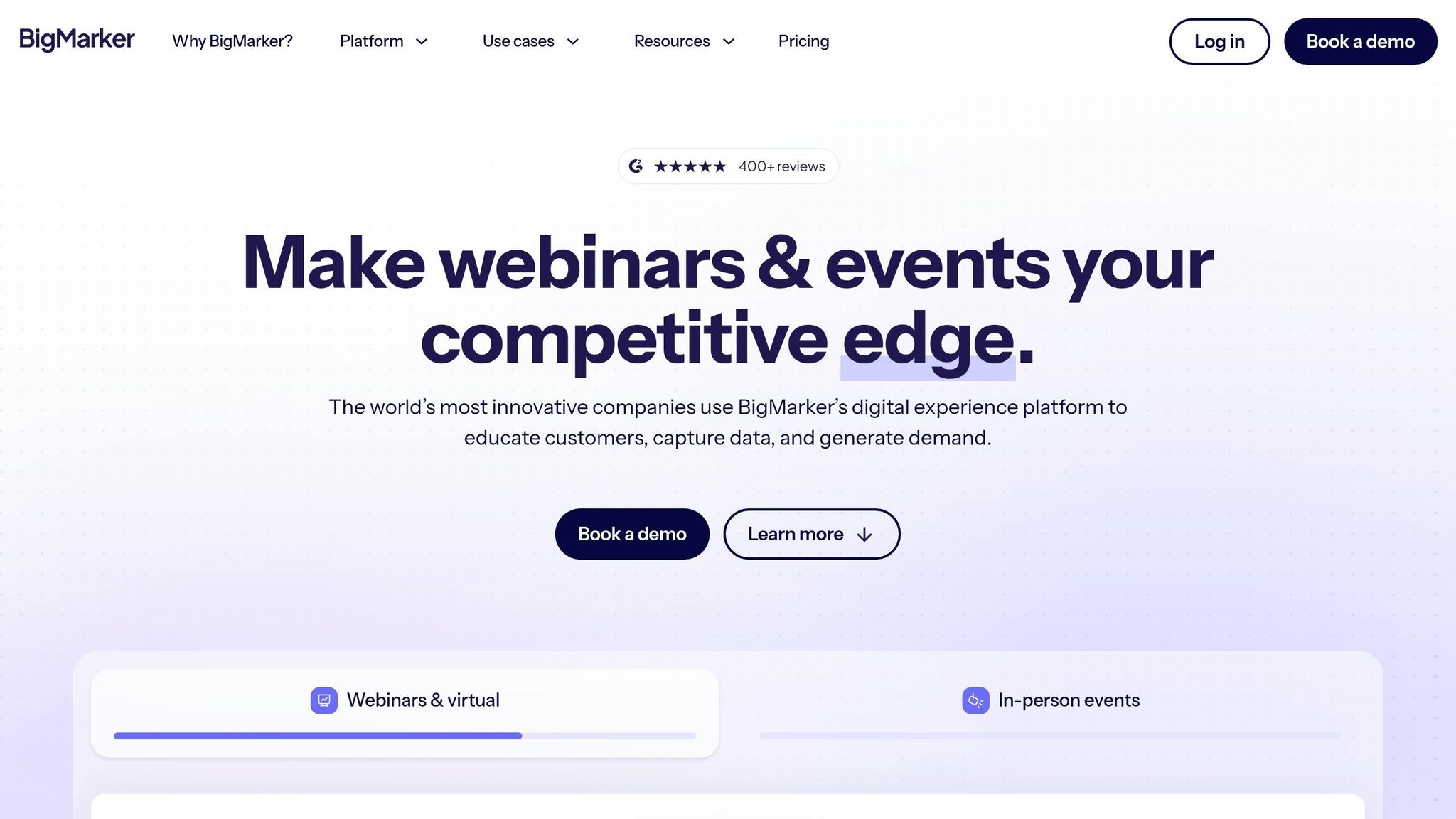
BigMarker is a webinar platform tailored for enterprises, boasting a 4.7/5 rating on G2 and recognized as a leader in virtual events. It’s trusted by major players like Amazon Business, Canva, and TED, with its enterprise clients generating over $100 million in pipeline value through webinars.
Monetization Features
BigMarker simplifies webinar monetization with built-in ticketing options for live, on-demand, and automated events. These can be set up using fixed pricing or donation models. A standout feature is the "Sharing in place of payment" option, where attendees can register for free by sharing the event on social media. Additionally, users can charge subscription fees for access to a branded "Media Hub" or channel.
To boost sales during webinars, automated "Buy Now" pop-ups can be scheduled to appear at key moments – typically about three-quarters of the way through, when engagement tends to peak. This feature contributes to an impressive 35% in-webinar call-to-action conversion rate. Promo codes are also available, offering fixed or percentage-based discounts to drive time-sensitive promotions.
Automation Capabilities
BigMarker streamlines both Simulive (simulated live) and Evergreen webinars by automating interactive elements like polls and purchase offers. This allows sales teams to concentrate on closing deals rather than managing events. The platform also handles email automation, covering branded invitations, registration reminders, and post-event follow-ups.
Amazon Business used these tools to achieve a show-up rate of over 72%, while Northwestern Alumni increased their webinar attendance by more than 50%. BigMarker’s AI Content Studio further extends the reach of webinars by automatically creating social media clips, summaries, and transcripts from recordings, making it easier to repurpose content across platforms.
Payment Integration
BigMarker’s Treasury system integrates seamlessly with Stripe and PayPal, offering support for custom currencies, tax setups, and automated invoicing. The platform’s native processor charges a 7.5% transaction fee, with a 14-day holding period and a $20 minimum withdrawal via PayPal. For international audiences, Stripe integration enables multi-currency payments and collects billing addresses as Stripe Metadata.
Each transaction is tracked with detailed logs, including date, amount, status, and payment processor. To create urgency, the "Limit Seats" feature restricts webinar capacity, encouraging faster registrations. As Brandon Lewin, Author and Consultant, shared:
"I got hundreds more attendees (and leads) once I started hosting with BigMarker. Talk about powerful webinar marketing!"
Audience Engagement Tools
BigMarker offers a range of tools to keep audiences engaged, including 9-way HD video, moderated Q&A, live polls, quizzes, and downloadable handouts. The "Bring anyone on screen" feature allows attendees to be instantly promoted to presenters, encouraging dynamic interactions. Plus, the platform runs entirely in the browser and integrates with CRM systems like Salesforce, HubSpot, Marketo, and ActiveCampaign to enrich attendee profiles.
The Wall Street Journal reported an average of over 9 hours of attendee engagement using BigMarker’s interactive features, while TED achieved a 99% attendee satisfaction rate for their virtual events. Heather C., Clinical Education Manager, praised the platform:
"BigMarker is built for engagement – features like live chat, polling, handouts, and Q&A upvoting make it easy to create interactive experiences"
BigMarker offers a 7-day trial with full access to its features, no credit card required. Additionally, users who attend a group training or guided demo can enjoy 50% off their first two months. With SOC 2 Type II certification, GDPR/CCPA compliance, and the ability to host over 100,000 live attendees, BigMarker is well-suited for businesses of all sizes, from startups to large enterprises.
Next, explore eWebinar’s approach to automated webinar monetization.
5. eWebinar
Ready to leave the job you hate and find the fastest path to online wealth? Learn the best asset you have right now to leverage income and build financial run way in my bestseller "Fire Your Boss." Click here to download the book for free.
eWebinar takes a unique approach by focusing entirely on automated, on-demand webinars designed to generate consistent revenue. With research showing that 57% of buyers make purchase decisions without ever speaking to a salesperson, eWebinar positions automated demos as a key driver of sales growth.
Monetization Features
One of eWebinar’s standout tools is its free AI script generator. This feature analyzes your product’s website to pull out key features and value propositions, then crafts a complete slide-by-slide presentation script with speaker notes – all in just minutes. This drastically cuts down the setup time for launching revenue-generating demos. Another major feature is the platform’s just-in-time scheduling, which starts a webinar session within minutes of a visitor’s arrival. This ensures you’re engaging buyers exactly when they’re ready to act.
The results speak for themselves. Will Yang, Head of Growth at Instrumentl, shared how his team achieved a massive return on investment:
"In the first six weeks, we paid eWebinar $198 and made about $27,000 in revenue attributable to eWebinar, a 136x return."
Automation Capabilities
eWebinar’s timeline editor allows hosts to insert over 25 interactive elements – like polls, quizzes, and questions – at specific timestamps. The platform recommends adding an interaction every 3 to 5 minutes to keep viewers engaged, a strategy that has led to watch times as high as 90% and doubled engagement rates.
The hybrid chat system is another clever feature. It sends an automated, personalized welcome message and, if no team member is available to respond live, an auto-reply takes over. For seamless communication, Slack integration ensures chat messages are routed directly to your workspace. Additionally, email automation handles confirmations, reminders, and follow-ups using customizable templates. These tools help eWebinar achieve an average attendance rate of 65%, significantly higher than the industry average of 40%, and an impressive 92% attendance rate for product demos.
Payment Integration
eWebinar connects to thousands of external tools through Zapier, making it easy to integrate payment gateways and manage transactions. It also offers direct integrations with CRMs like Salesforce, HubSpot, and ActiveCampaign, helping funnel webinar leads straight into your sales pipeline. Built-in conversion tracking with custom codes lets you measure the financial performance of your webinars. Mark Thompson, Cofounder of PayKickstart, highlights this benefit:
"eWebinar bridges the gap between a brand new, fresh prospect that is not really sure if they want to sign up for the free trial and gets them over that hurdle to sign up."
In addition to simplifying payments, eWebinar enhances viewer retention through its interactive tools.
Audience Engagement Tools
Keeping viewers engaged is effortless with eWebinar’s preprogrammed features, which require no live moderation. The platform offers triple scheduling options – on-demand sessions, recurring local-time schedules, and instant replay links – to maximize attendance. Alex Cote, Founder & CMO of Cloze, shared how eWebinar saved his team valuable time:
"Do you know what I’m not doing today? Not giving the same webinar for the 100th time. I’m committed to moving all my webinars over to eWebinar."
For even greater control, the Advanced Access Control subscription add-on allows hosts to gate content by whitelist, ensuring only approved participants can access premium webinars. Combined with analytics that identify which interactions drive the most revenue, eWebinar provides a complete system for running and monetizing webinars with minimal effort.
Platform Comparison: Strengths and Weaknesses
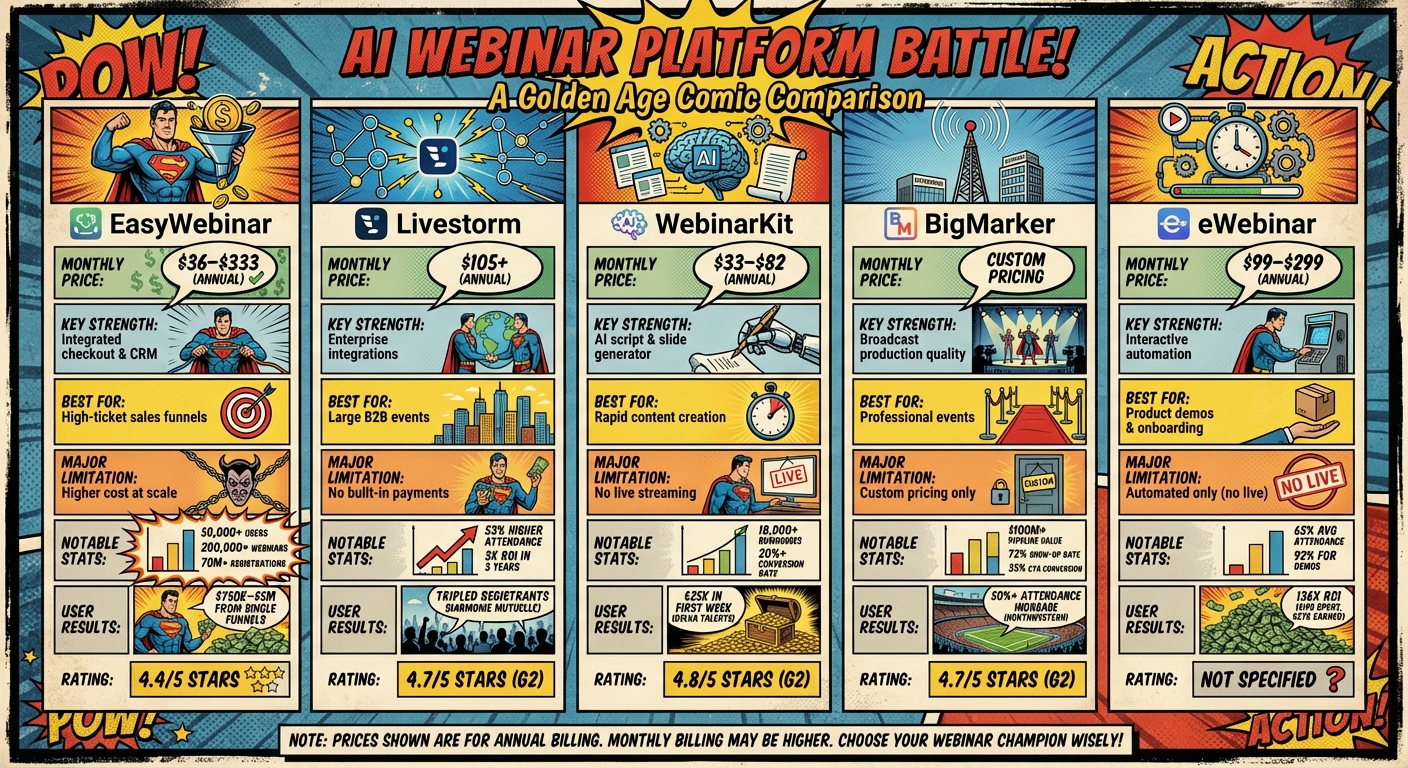
AI Webinar Platform Comparison: Features, Pricing, and Best Use Cases
The platform reviews above highlight a range of approaches to webinar monetization. Here’s a breakdown of each tool’s standout features and drawbacks to help you make an informed decision.
EasyWebinar combines revenue management, integrated checkout, and CRM in one package, eliminating the need for third-party tools. Pricing spans from $36/month to $333/month (billed annually). The Agency Pro tier even allows license reselling with 65% recurring revenue.
Livestorm focuses on browser-based engagement and seamless integration with enterprise tools like HubSpot and Salesforce. Plans start at $105/month (annual billing) for up to 1,000 active contacts per year.
WebinarKit leans on AI-driven content creation, producing sales scripts and slide decks in minutes. Pricing begins at $33/month (billed annually), with lifetime access available for around $1,698. It boasts a 4.8/5 star rating on G2 but lacks live streaming capabilities, making it a fully automated solution.
BigMarker stands out for broadcast-quality production tailored to virtual, hybrid, and in-person events. Pricing is customized based on individual event needs.
eWebinar specializes in interactive automation, offering plans at $99/month for one webinar, $199/month for five webinars, and $299/month for 15 webinars. Annual subscriptions come with a 15% discount. Users report attendance rates exceeding industry averages by over 60%.
| Platform | Monthly Price | Key Strength | Best For | Major Limitation |
|---|---|---|---|---|
| EasyWebinar | $36–$333 | Integrated checkout & CRM | High-ticket sales funnels | Higher cost at scale |
| Livestorm | $105+ | Enterprise integrations | Large B2B events | – |
| WebinarKit | $33–$82 | AI script & slide generator | Rapid content creation | No live streaming |
| BigMarker | Custom | Broadcast production quality | Professional events | Custom pricing |
| eWebinar | $99–$299 | Interactive automation | Product demos & onboarding | Automated only |
Your choice will depend on your priorities – whether it’s all-in-one functionality, enterprise-level integrations, speedy AI content generation, high-quality production, or interactive automation. For those focused on building automated income streams, platforms that integrate payment processing and CRM can simplify monetization by reducing complexity. Use this comparison as a guide to find the perfect tool for maximizing your webinar revenue.
Conclusion
Each platform highlighted above brings its own strengths to the table, tailored to help you boost webinar revenue. Picking the right one depends on your business model and goals. EasyWebinar stands out with integrated checkout and CRM, priced between $36 and $333 per month (billed annually). Livestorm starts at $105 per month, ideal for enterprise-level integrations. WebinarKit, beginning at $28 per month, offers tools like AI-generated scripts and slides. BigMarker provides broadcast-quality production with custom pricing. Meanwhile, eWebinar offers interactive automation with plans ranging from $99 to $299 per month.
The data shows that your choice of features can significantly impact performance. Platforms with behavior-driven retargeting and native software playback tend to drive better engagement and higher conversions. If you’re targeting a global audience, look for tools that support multilingual registration pages and automated email workflows.
For membership-based communities running multi-day challenges, platforms with built-in challenge features can automate training series, keeping participants engaged and primed for your offer.
Most entrepreneurs find success with platforms that strike a balance between automation and conversion optimization. Features like Just-in-Time scheduling capture leads at their most interested moments, while hybrid modes – combining polished pre-recorded content with live chat – help maintain the personal touch needed to close sales.
To maximize results, test your platform, monitor conversion rates, and use AI tools to streamline your processes. While the average webinar conversion rate hovers around 55%, the right combination of tools and strategies can help you push well beyond this benchmark.
FAQs
Which webinar format should I monetize (live, simulive, or evergreen)?
Evergreen webinars are a fantastic way to monetize content because they operate on autopilot while mimicking the feel of live events. Available around the clock, they allow you to consistently attract leads and make sales without needing to actively manage them. The secret lies in automation tools that handle the heavy lifting for you.
Do I need built-in payments, or are Stripe/Zapier integrations enough?
If you’re already using tools like Stripe or Zapier for payment processing, you might not need a webinar platform with built-in payment options. Many platforms prioritize automation and content delivery, leaving payment handling to external tools. That said, all-in-one platforms with integrated payment systems can make setup easier and more seamless. Your choice comes down to how much customization you want – external tools like Stripe offer more control, while integrated solutions simplify the process.
What automations boost webinar conversions the most?
When it comes to improving webinar conversions, the right automations can make all the difference. These tools take care of lead generation, keep your audience engaged, and handle follow-ups effortlessly. Some standout examples include targeted email and SMS reminders to ensure attendees don’t forget, personalized registration flows that make signing up a breeze, and automated follow-up messages to keep the conversation going after the event.
Other powerful features include optimized registration pages that boost sign-ups, simulated live sessions to maintain engagement, and AI-driven tools that help craft scripts and design slides. Together, these automations reduce no-shows, keep your audience engaged, and guide attendees to take action – all while creating a smooth, high-converting webinar experience.
Related Blog Posts
- How to Quit Your Job and Work for Yourself in 2026
- 5 Mindset Shifts for AI Career Success After 40
- How to Build an AI Decision Framework
- Ultimate Guide to AI Voiceovers for Video Creators
Ready to leave the job you hate and find the fastest path to online wealth? Learn the best asset you have right now to leverage income and build financial run way in my bestseller "Fire Your Boss." Click here to download the book for free.