ChatGPT vs. Claude: Blog Formatting Comparison
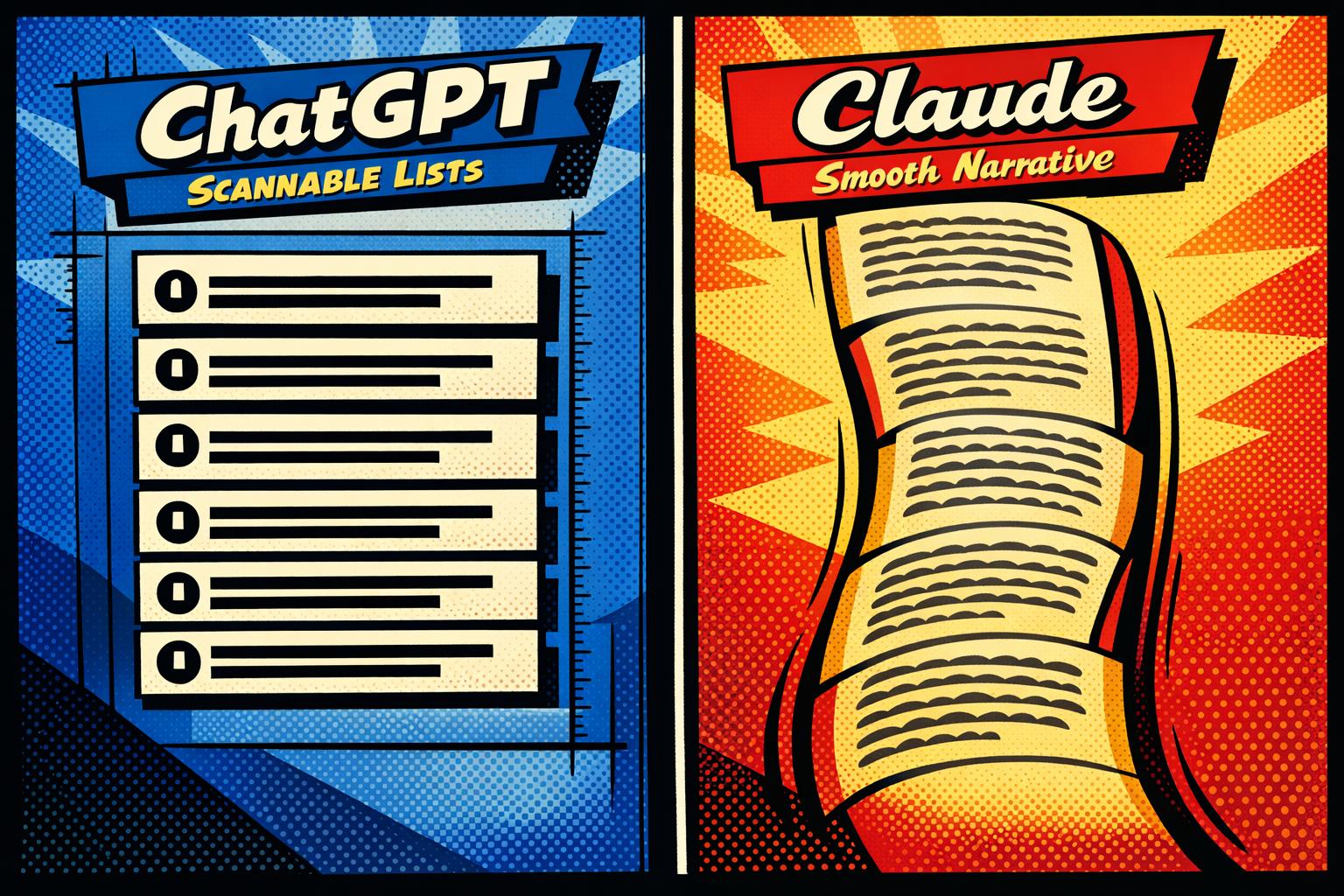
ChatGPT and Claude have distinct approaches to blog formatting, each catering to different needs. ChatGPT excels in creating structured, scannable content with bullet points, numbered lists, and headings, making it ideal for SEO-focused posts and how-to guides. Claude, by contrast, prioritizes smooth, natural writing, perfect for long-form articles and thought leadership pieces, though it often requires manual tweaks for readability.
Key differences include:
- ChatGPT: Fast, structured outputs; great for skimmable content; supports 128,000 tokens (~300 pages).
- Claude: Narrative-driven style; better for deep, cohesive articles; supports 200,000 tokens (~500 pages).
Quick Comparison:
| Feature | ChatGPT (GPT-5.2) | Claude (4.5 Opus) |
|---|---|---|
| Default Format | Lists, bullet points, headings | Flowing paragraphs |
| Context Window | 128,000 tokens (~300 pages) | 200,000 tokens (~500 pages) |
| Response Speed | ~3.4 seconds (500 words) | ~4.2 seconds (500 words) |
| Best Use Case | SEO posts, how-to guides | Long-form, editorial content |
Takeaway: Use ChatGPT for quick, SEO-friendly content and Claude for polished, in-depth articles. Many writers combine both to maximize efficiency and quality.
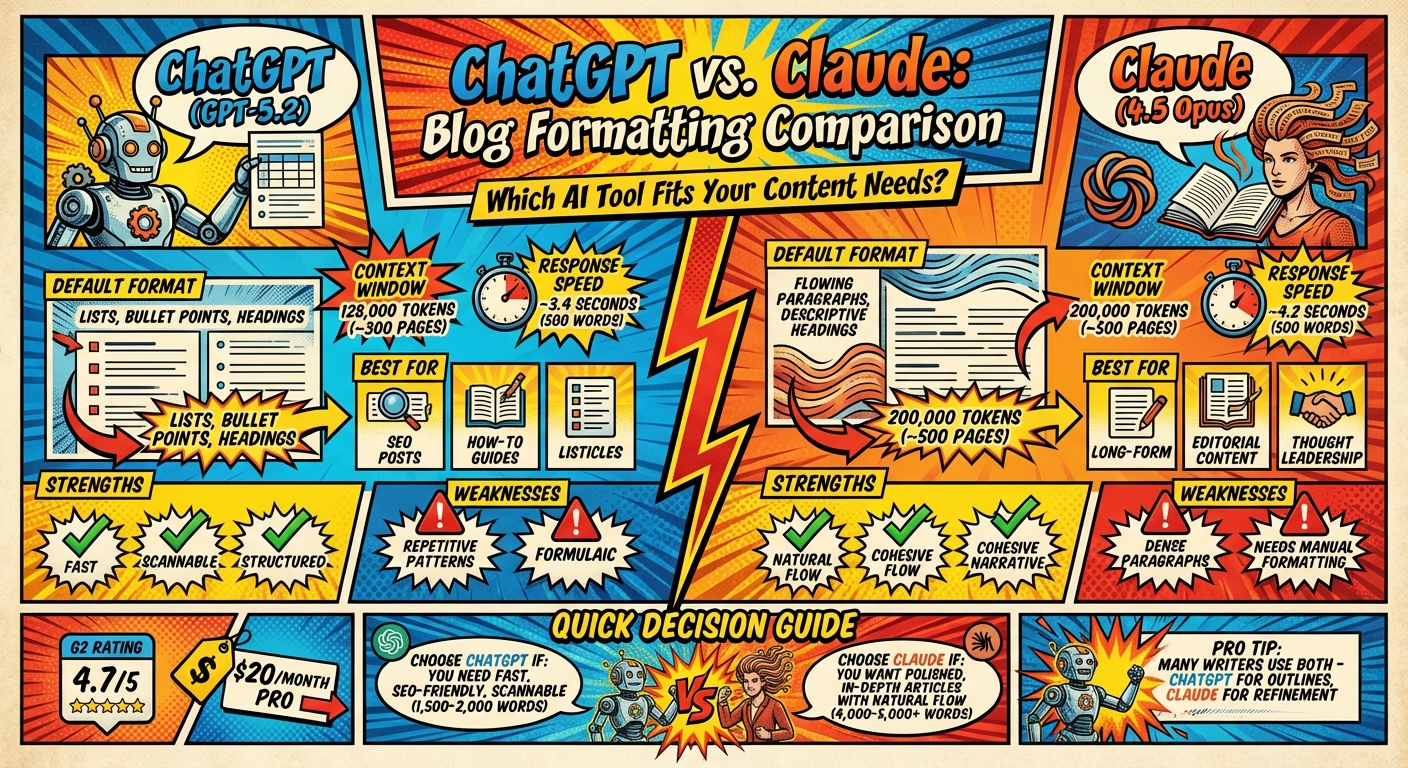
ChatGPT vs Claude Blog Formatting Features Comparison
ChatGPT for Blog Formatting: Pros and Cons
Pros: Easy-to-Scan Structure and Organization
ChatGPT shines when it comes to creating content that’s simple to navigate. It uses clear headings (H1–H3), bullet points, and numbered lists to make text easy to scan. Plus, it even generates SEO-friendly titles and meta descriptions automatically.
Ready to leave the job you hate and find the fastest path to online wealth? Learn the best asset you have right now to leverage income and build financial run way in my bestseller "Fire Your Boss." Click here to download the book for free.
Jonathan Farrington, Co-founder of Copiq, sums it up well:
"ChatGPT is a versatile workhorse. It’s fast, structured, and fantastic for banging out ideas and technical content."
Its ability to outline ideas logically and expand on points makes it perfect for how-to guides, listicles, and viral LinkedIn articles. Supporting over 100 languages and offering a massive context window of up to 400,000 tokens in GPT-5, it can process up to 300,000 words at once. With high user ratings – 4.7/5 on G2 and 4.5/5 on Capterra – ChatGPT is often praised for its speed and ability to help overcome writer’s block.
But while its structure is a strength, it also introduces some challenges.
Cons: Repetitive Patterns and Generic Formatting
One of ChatGPT’s biggest weaknesses is its tendency to stick to predictable structures. Content often follows a rigid template, moving from an introduction to numbered lists and explanations, which can make it feel formulaic. As Contentpen points out:
"The writing feels template-driven, making it difficult to differentiate from thousands of other AI-written articles on the same topic"
Another issue is the overuse of transitional phrases and overly uniform lists, which can come across as robotic. Common, generic openings like "In today’s digital landscape" appear too frequently, and AI detection tools such as GPTZero and Originality.ai can identify ChatGPT-generated content with 92–94% accuracy.
To make the content more engaging, a 30–40% rewrite is often necessary to inject personality. Strategies like varying paragraph lengths, cutting down on repetitive transitions, and swapping out generic openings for more tailored statements can help. It’s also critical to fact-check the output, as GPT-4 Turbo has a 1.7% hallucination rate, which means it occasionally presents incorrect information with confidence.
These strengths and weaknesses highlight how ChatGPT’s structured style contrasts with Claude’s more fluid but less visually segmented approach.
Claude for Blog Formatting: Pros and Cons
When it comes to blog formatting, Claude leans heavily toward maintaining a cohesive narrative, which can sometimes come at the expense of scannability.
Pros: Smooth Flow and Natural Writing Style
Claude excels at producing content that feels natural and flows seamlessly. It builds concepts logically, avoiding jarring transitions, which makes it a strong choice for long-form articles, editorial pieces, and thought-leadership content that require a consistent tone.
Stevia Putri, Marketing Generalist at eesel AI, highlights this strength:
"Claude’s output often gives you a stronger starting point… especially good for long-form content where a consistent voice and logical flow are important."
Its ability to vary sentence structures and incorporate nuanced language helps avoid repetitive or formulaic patterns. With a 200,000-token context window in Claude 4.5 Opus – equivalent to about 500 pages of text – it can maintain coherence and tone across lengthy documents. This capability reduces the need for heavy editing, making it a practical tool for tackling extensive writing projects.
Still, this polished style isn’t without its drawbacks.
Cons: Long Paragraphs That Need Editing
While Claude delivers a smooth narrative, it often struggles with formatting for readability. Its tendency to produce dense, lengthy paragraphs can overwhelm readers, especially in blog formats where scannability is key. The model sometimes over-explains, avoiding the use of shorter, more digestible chunks of text that are better suited for online consumption.
Tom Johnson shares his approach to this issue:
"If Claude starts getting too wordy or constructing long paragraphs, I let Claude know what to fix."
To improve readability, manual adjustments are often necessary. Breaking up text into shorter paragraphs, adding bullet points, or incorporating headings can make the content more reader-friendly. Prompting Claude with specific instructions like "short paragraphs (2-3 sentences max)" or "avoid fluff" can also help streamline its output. Some writers prefer generating content one paragraph at a time to maintain greater control, and sprinkling in visuals throughout the text can further enhance scannability.
Ultimately, while Claude provides a refined and sophisticated writing style, it may require extra effort to adapt its output for digital audiences who favor concise and easily navigable formats.
Side-by-Side Comparison: Formatting Features
When deciding between ChatGPT and Claude for blog formatting, understanding their distinct strengths can help you choose the right tool for your needs. While both platforms offer a $20 per month Pro plan, their approaches to structuring content and handling long-form writing vary significantly. Here’s a closer look at how they stack up.
ChatGPT leans toward scannable, list-heavy formats featuring numbered sections and bullet points, making it perfect for how-to guides and SEO-friendly content. It’s equipped with the GPT-5.2 model, which supports a 128,000-token context window – roughly 96,000 words, or about 300 pages of text. This model delivers quick results, generating a 500-word response in just 3.4 seconds.
Claude, on the other hand, prioritizes smooth narrative flow and readability. Its Claude 4.5 Opus version offers a much larger 200,000-token context window, equivalent to around 500 pages. This makes it particularly effective for lengthy documents, though its natural writing style may require some manual tweaks for easier scanning. Claude’s average response time for a 500-word output is slightly slower at 4.2 seconds.
Here’s a breakdown of their key differences:
| Feature | ChatGPT (GPT-5.2) | Claude (4.5 Opus) |
|---|---|---|
| Default Format | Scannable lists, bullet points, numbered sections | Flowing paragraphs with descriptive headings |
| Context Window | 128,000 tokens (≈300 pages) | 200,000 tokens (≈500 pages) |
| Response Speed | ~3.4 seconds per 500 words | ~4.2 seconds per 500 words |
| Tone Customization | Custom Instructions and Custom GPTs | Dedicated "Styles" presets |
| Long-Form Handling | Best for 1,500–2,000-word pieces | Ideal for 4,000–5,000+ word documents |
| Visual Integration | Includes DALL-E image generation | No native image generation |
| G2 Rating | 4.7/5 | 4.4/5 |
For personalization, ChatGPT offers Custom Instructions and the ability to master ChatGPT with a game-changing prompt tailored to specific tones and tasks. Claude, meanwhile, features a "Styles" option, allowing users to switch between preset tones like informal, peppy, or thoughtful. As Ryan Kane from Zapier explains:
"Claude’s Styles feature also makes it easier to jump between different custom writing styles".
A key difference lies in how the tools handle revisions. ChatGPT resets its interpretation with each edit, ensuring new directions are followed precisely. In contrast, Claude retains context across revisions, which can sometimes lead to "meaning drift", where earlier inputs subtly influence later outputs. This distinction can make a big difference when fine-tuning blog layouts or making iterative adjustments.
Real Test: Same Prompt, Different Results
Putting both tools to the test reveals how their approaches shape blog formatting in practice.
When tasked with writing about the "topics to write about", ChatGPT generates content with structured numbered lists and clear H2–H3 headings. Its output sticks to a predictable format: an introduction, followed by a list of benefits broken down with bullet-pointed sub-details. It even adds SEO-friendly elements like optimized titles and meta descriptions automatically.
On the other hand, Claude produces descriptive H2 headings without numbers and leans into flowing paragraphs, resembling a traditional article. Its writing feels more natural, diving into not just the "what" but also the "why", with deeper explanations. However, this style results in dense paragraphs that aren’t as easy to skim.
Ryan Kane from Zapier sums it up well:
"ChatGPT tends to aggressively use bullet point formatting unless you instruct it not to. Claude, on the other hand, sounds more human right out of the box."
For business content where quick reference is a priority, ChatGPT’s structured layout ensures better readability. But if you’re aiming for thought leadership pieces that require a more polished and cohesive narrative, Claude delivers a smoother, editorial-quality result with minimal need for tone adjustments.
These results highlight the importance of choosing the right tool based on your blog’s formatting needs.
Which Tool Works Best for Your Blog Formatting Needs
The right tool for your blog depends on the kind of content you’re aiming to create. ChatGPT is perfect for fast, scannable posts like listicles, how-to guides, and keyword-focused articles. It’s designed to structure content efficiently, using numbered lists, bullet points, and clear formatting – making it a go-to option for churning out SEO-ready material at scale. In just 1–2 minutes, ChatGPT can produce around 1,500 words, complete with SEO-friendly titles and meta descriptions.
On the other hand, Claude shines when depth and sophistication are key. For thought leadership articles, detailed reports, or long-form guides, Claude’s natural writing style and smooth narrative flow make it the better choice. While it tends to favor longer paragraphs, you can prompt it to include more bullet points and headers to suit your needs.
Many content creators find success by combining the strengths of both tools. For instance, you can use ChatGPT to brainstorm blog post ideas and create a structured outline, then rely on Claude to refine the language and add a polished, authoritative tone.
Serve No Master courses guide entrepreneurs on how to make the most of these AI tools for content creation. Whether your goal is to generate quick, SEO-driven posts with ChatGPT or craft in-depth, authoritative pieces with Claude, these courses teach you how to optimize your workflow. By mastering these strategies, you can maintain your brand voice, streamline formatting, and achieve location-independent success.
FAQs
Which AI is better for SEO formatting?
ChatGPT stands out when it comes to SEO formatting, thanks to its knack for creating engaging content and persuasive meta descriptions – both critical for boosting search rankings. It shines at crafting titles that grab attention and writing copy that adapts well to different audiences. Meanwhile, Claude AI is better suited for tasks requiring technical precision and well-structured content, making it a strong choice for technical SEO needs. While ChatGPT’s creative edge makes it a go-to for SEO formatting, pairing it with human oversight ensures the best results.
How do I make Claude more skimmable?
To make Claude’s responses easier to skim, you can switch to the "Concise" style. Here’s how: Open the "Search and tools" menu in the lower-left corner, click "Use style", and select "Concise." This setting shortens responses, focusing on key points for quick and easy reading.
Can I combine ChatGPT and Claude in one workflow?
Yes, it’s entirely possible to use ChatGPT and Claude together in a single workflow to boost productivity. By combining their strengths – like ChatGPT’s adaptability and Claude’s deeper contextual comprehension – you can create a more efficient process. Many users switch between the two, sharing context effortlessly to tackle tasks like writing, coding, or data analysis. This method takes advantage of each model’s unique abilities, making them work in harmony for better results.
Related Blog Posts
- How Do I Create Passive Income Streams? 8 Answers
- AI Tools for Personal Branding and Networking
- 5 Mindset Shifts for AI Career Success After 40
- How to Build an AI Decision Framework
Ready to leave the job you hate and find the fastest path to online wealth? Learn the best asset you have right now to leverage income and build financial run way in my bestseller "Fire Your Boss." Click here to download the book for free.