

AI Tools for Personal Branding and Networking
Want to stand out on LinkedIn without spending hours crafting viral LinkedIn posts or chasing leads? AI tools can help you build your personal brand, automate networking, and create high-quality content – saving you time while boosting your visibility.
Here’s the deal: Regular posting doubles engagement on LinkedIn, but staying consistent can feel impossible when you’re busy. That’s where AI tools come in. They streamline tasks like content creation, lead generation, and outreach, so you can focus on building real connections.
Top AI Tools for LinkedIn Success:
- AuthorityMax: Guides your content creation process and optimizes your profile to reflect your expertise.
- Taplio: Combines content creation, scheduling, and lead generation with a library of viral templates.
- Expandi: Automates personalized LinkedIn outreach with advanced workflows and sentiment analysis.
- Careerflow: Acts as a professional CRM to organize connections and improve your profile.
- Gamma: Transforms text into polished visuals for LinkedIn carousels and presentations.
- ContentIn: Focuses on LinkedIn-specific content creation with smart scheduling and analytics.
Quick Comparison
| Tool | Price | Best For | Key Features |
|---|---|---|---|
| AuthorityMax | Free trial | Professionals building credibility | Custom content creation, profile optimization, lead tracking |
| Taplio | $32–$149/month | Scaling LinkedIn presence | Viral templates, lead database, smart scheduling |
| Expandi | $99/month | Personalized outreach | Cloud-based automation, AI-driven messaging |
| Careerflow | $14.41/month | Networking organization | AI email writer, profile optimizer, follow-up reminders |
| Gamma | Free plan | Visual content creators | AI-generated carousels, brand kit for consistent visuals |
| ContentIn | $15–$39/month | Solopreneurs | LinkedIn-specific tools, post analytics, idea generator |
Start simple: Polish your profile with Careerflow’s free tools. Then, choose a platform like AuthorityMax or Taplio to create engaging posts and connect with your audience. Whether you’re a solopreneur, founder, or corporate professional, AI can help you stay visible and grow your influence – without burning out.
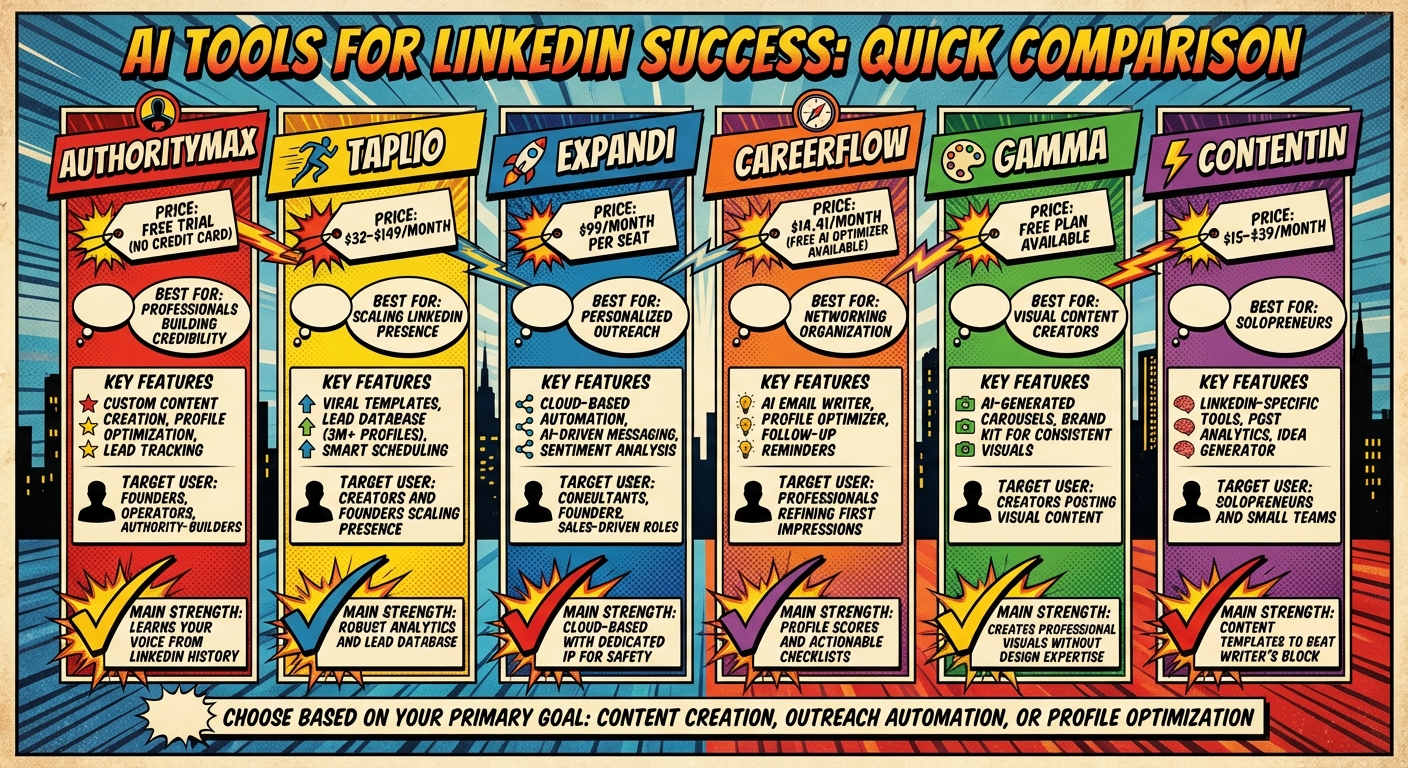
AI Tools for LinkedIn Personal Branding: Features and Pricing Comparison
1. AuthorityMax
AuthorityMax skips the usual automation tricks and focuses on helping you build genuine authority through thoughtful, high-quality content that opens doors to new opportunities.
Content Creation
AuthorityMax takes a different approach to content creation by acting like an insightful collaborator. Instead of just churning out posts, it asks smart, clarifying questions to fill in gaps and refine your ideas. As the platform puts it:
Ready to leave the job you hate and find the fastest path to online wealth? Learn the best asset you have right now to leverage income and build financial run way in my bestseller "Fire Your Boss." Click here to download the book for free.
"It doesn’t just generate posts; it guides your thinking. The agentic chat challenges weak ideas, fills context gaps, and helps shape a clear angle before anything is written".
This process ensures the posts you create showcase real expertise, making your content stand out. Plus, this focus on quality extends to ensuring your profile reflects your professional strengths accurately.
Profile Optimization
AuthorityMax goes a step further by analyzing your LinkedIn history to match its suggestions to your unique writing style. It also offers a personalized knowledge base that aligns with your perspectives. To keep your profile relevant, it highlights the latest industry trends and research, making sure you always stay ahead.
Lead Generation
Once your profile and content are polished, AuthorityMax uses its audience insights to identify what resonates with your network. By tracking performance, it helps you fine-tune your content strategy and spot valuable networking opportunities. This content-driven approach naturally attracts the right connections, building trust and authority over time.
Best of all, you can try AuthorityMax for free – no credit card required. It combines research, ideation, writing, publishing, and performance tracking into one seamless platform, making it a comprehensive tool for professionals looking to grow their influence.
2. Taplio
Taplio is a tool designed to strengthen your LinkedIn presence by combining AI-driven content creation, smart scheduling, and relationship-building features. With over 6,200 LinkedIn professionals already on board, it’s tailored to help you stay active on the platform while connecting with the right audience. Its automation and precision tools make it easier to maintain a consistent and impactful online presence.
Content Creation
Taplio’s content creation capabilities are built around a vast database of successful posts and a collection of viral templates. The Personalized Content Generator fine-tunes posts to match your brand voice and niche, ensuring your content feels genuine instead of one-size-fits-all.
One standout feature is its searchable library, which you can filter by keywords or topics to find proven content frameworks. Additional tools help craft engaging openings and polish tone and grammar. Taplio also allows you to convert YouTube videos (under 15 minutes) or article URLs into LinkedIn posts or carousels automatically.
Success stories from users like Amanda Goetz and Emil Sterndorff highlight the platform’s effectiveness. Amanda grew her LinkedIn following from 8,000 to 30,000 in just 10 months, while Emil increased his post views from 15,000 to 1 million in six months.
Scheduling
Taplio simplifies scheduling by recommending optimal posting times based on insights from thousands of high-performing posts. Its Kanban-style content pipeline lets you visually manage posts, moving them through draft, scheduled, and published stages. Scheduled posts go live even if your computer is off or your browser is closed.
You can enhance your posts by excluding URL previews, tagging connections, or cross-posting to X (formerly Twitter). Solopreneur Justin Welsh praises the platform:
"Taplio helps me stay inspired and schedule my LinkedIn posts. It’s the most complete solution in the market for anyone looking to grow on LinkedIn".
This robust scheduling system ensures you’re always engaging your audience at the right time.
Outreach Automation
Taplio’s DM Assistant streamlines outreach by automatically adding personal details like name, company, job title, and location. The AI-generated post replies feature suggests thoughtful comments – whether congratulatory, value-adding, or simply appreciative – to help you interact with key figures in your industry. Additionally, the platform organizes Contact Lists of people who engage with your posts, making follow-ups a breeze.
Lead Generation
For those focused on networking, Taplio’s Pro plan provides access to a database of over 3 million enriched LinkedIn profiles, which you can filter by location, industry, or job level. This feature simplifies the process of finding quality leads aligned with your professional objectives, similar to the process detailed in this LeadsHunter review.
Pricing starts at $32/month for the Starter plan (billed annually), $49/month for Standard, and $149/month for Pro. With a 4.7/5 rating on SoftGist, Taplio is a powerful tool, though it does come with a learning curve.
3. Expandi
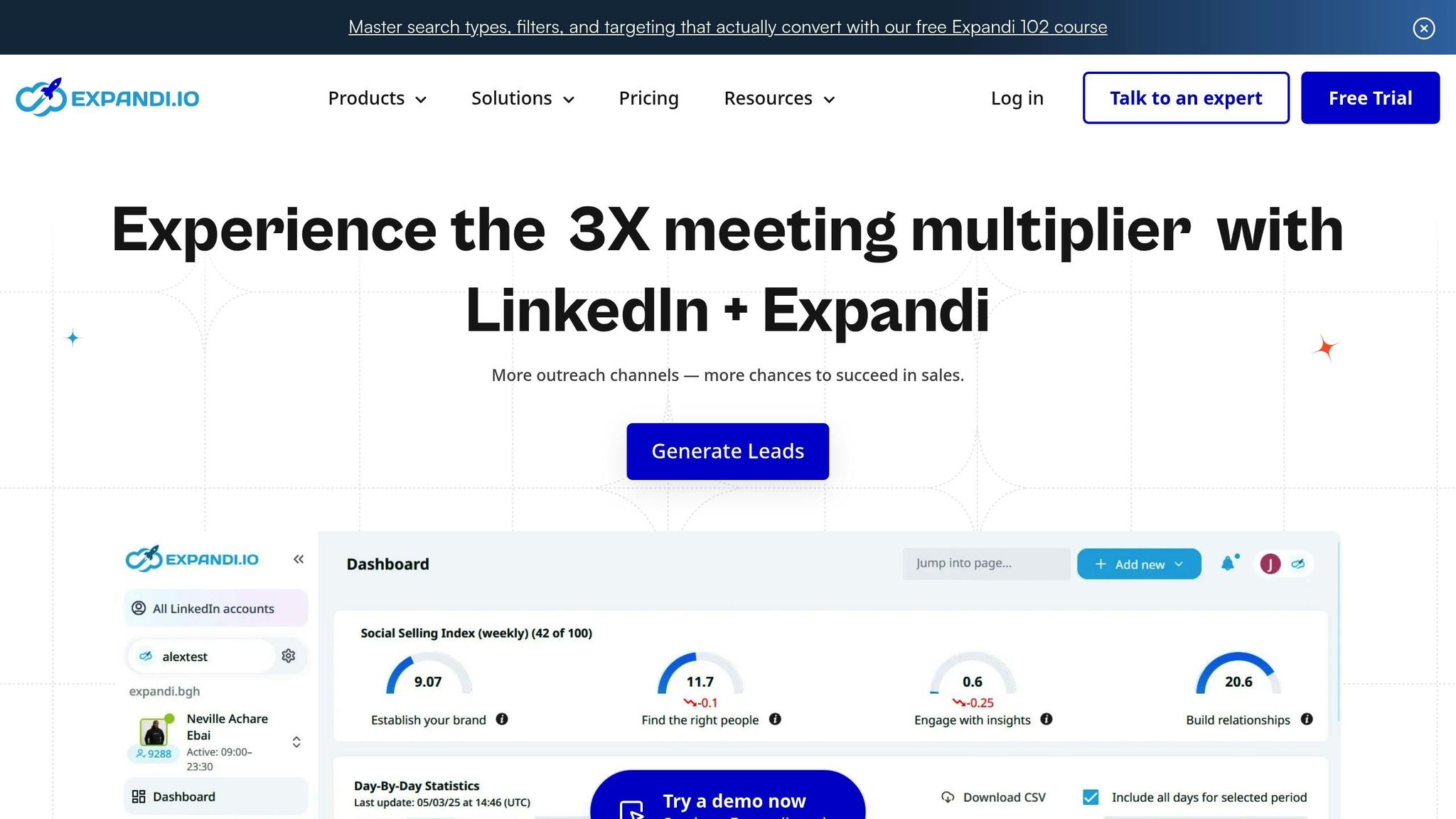
Expandi takes LinkedIn automation to another level by focusing on hyper-personalized outreach and smarter lead management. Unlike basic tools that just swap in a name here and there, Expandi’s AI Analyzer crafts unique messages tailored to specific profile details, recent activity, or even unique situations. This method helps you cut through the noise of generic templates and build connections that feel authentic, boosting your personal brand in the process.
Outreach Automation
Expandi’s Smart Sequences feature lets you design automated workflows using 10 different actions and 10 conditions based on how prospects engage with your messages. With this, you can mix LinkedIn actions and email follow-ups into a seamless omnichannel strategy, potentially tripling your open rates. Houston Golden, Founder and CEO of BAMF, doesn’t mince words when he says:
"I’ve used every single tool under the sun you name, I’ve tried it, I’ve tested it, and I’ve put it through the wringer and the reality is that nothing is safer and nothing is more effective than Expandi".
The AI Analyzer also uses sentiment analysis to sort responses into categories like "Interested", "Maybe Interested", or "Not Interested". This means you can focus on high-value conversations without wasting time manually sifting through replies. Plus, since responding within the first minute can boost conversion rates by 391%, Expandi’s speed and precision help you stay ahead without sacrificing personalization.
Lead Generation
Expandi makes lead generation effortless by scraping data from groups, events, posts, and alumni lists to create highly targeted prospect lists. The tool’s capabilities were showcased in a campaign where the team generated over 40 demos in just one week – all on autopilot and without spending a dime on ads. In another campaign targeting 42 prospects, they achieved an impressive 83% response rate by leveraging dynamic personalization.
To keep your networking organized, Expandi’s Smart Inbox consolidates all LinkedIn conversations into one easy-to-manage dashboard. Features like labels, tags, and notes ensure you never miss a follow-up opportunity. On the technical side, Expandi uses cloud-based technology with dedicated local IPs and randomized delays to keep your account safe. Pricing starts at $99 per seat per month, and you can test it out with a 7-day free trial.
4. Careerflow
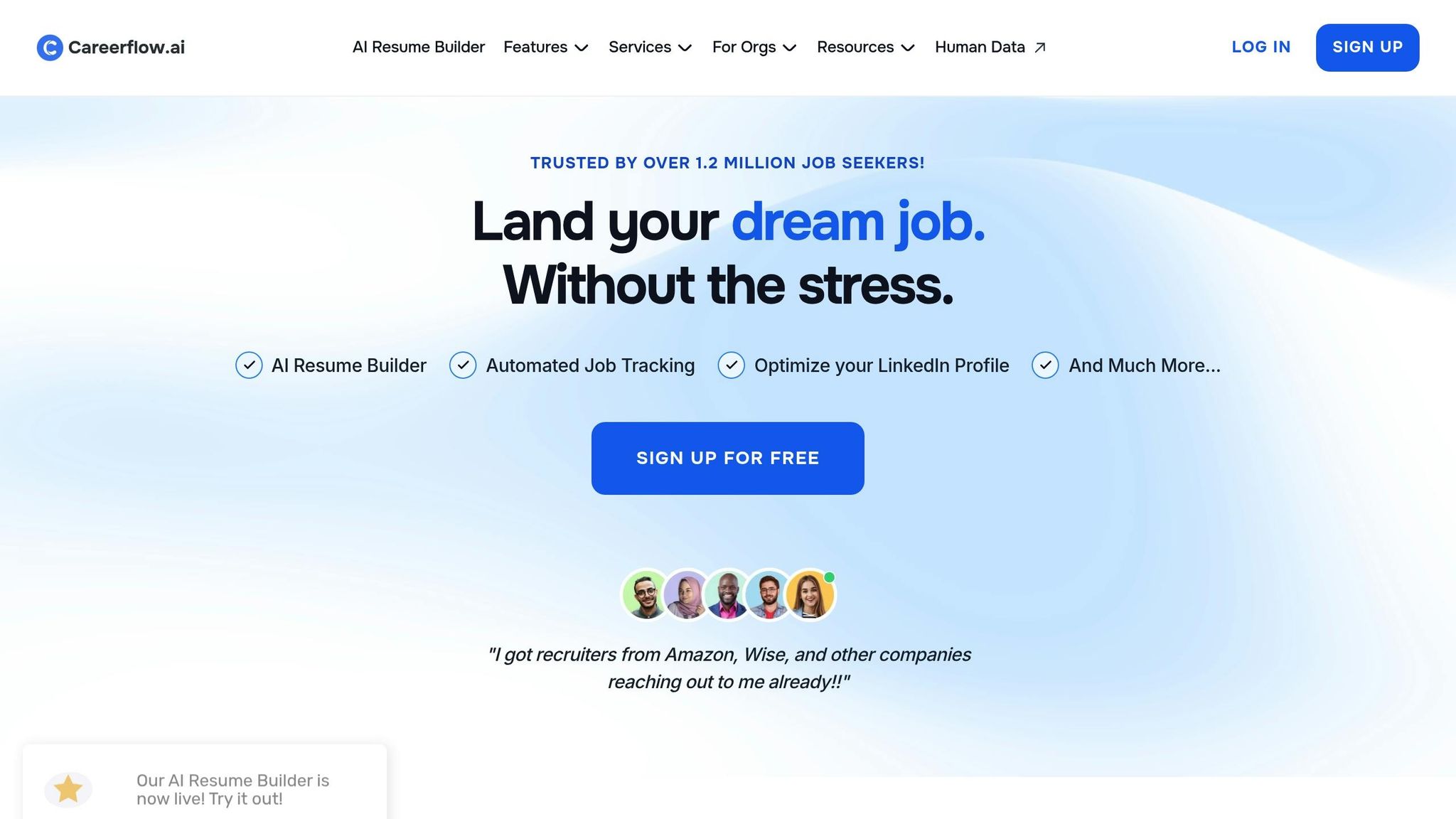
Careerflow is a professional CRM designed to move beyond basic LinkedIn automation, focusing instead on strategic, relationship-based networking. It helps you keep track of contacts, manage conversations, and follow up at the right time. This is perfect for professionals looking to build meaningful connections rather than relying on mass outreach. Here’s a closer look at how Careerflow supports outreach, lead generation, and profile optimization to strengthen your professional network.
Outreach Automation
Careerflow’s AI tools make staying in touch effortless. The AI Email Writer crafts personalized drafts for thank-you notes, referral requests, and follow-ups, while the AI Elevator Pitch Writer helps you create tailored pitches for new connections. Automated reminders ensure you never miss a chance to follow up with key contacts, keeping your networking efforts consistent and effective.
Lead Generation
Finding the right people to connect with is easier thanks to Careerflow’s Hiring Manager and Recruiter Search Tool, which uses Boolean logic for advanced LinkedIn searches. The platform also provides AI-driven insights to recommend ideal connections and the best timing for outreach. As Rachel Green, a Marketing Analyst, puts it:
"The Networking Tracker has been a game-changer. I’ve never been more organized in following up with contacts, and it’s opened doors to multiple job leads!"
Profile Optimization
Careerflow goes beyond networking by helping you refine your LinkedIn presence. The LinkedIn Profile Optimizer includes a detailed checklist, along with tools like the AI Headline Generator and Summary Generator. The AI Personal Brand Statement Writer helps you communicate your strengths clearly, while the AI Post Writer creates LinkedIn posts tailored to your profile and prompts, keeping you active and visible in your industry. Plans start at $14.41 per month (billed annually), and a free basic plan offers unlimited resume analysis and essential networking tools.
5. Gamma

While earlier tools focus on text-based content and automation, Gamma steps up the game with visuals that elevate your branding.
Gamma is a platform designed for visual storytelling, turning your text or outlines into polished, professional visuals. Forget spending hours tweaking layouts or formatting presentations – Gamma’s AI takes care of that for you, allowing you to become your own AI officer and manage your brand’s visual identity efficiently. This makes it a go-to tool for professionals who want to maintain a credible LinkedIn presence without diving into complicated design software.
Content Creation
Gamma uses AI to transform simple prompts into social posts, carousels, and presentations. With its "Create new AI > Generate > Social" workflow, you can quickly take a topic and turn it into a multi-card social post. The standout feature? Gamma can repurpose your existing content – like blog posts or industry reports – into LinkedIn carousels or Instagram stories with just one click. Over 250 million presentations, websites, and social posts have already been created using Gamma, showing how widely it’s being used.
Visual Storytelling
Gamma’s content formats are tailored with perfect dimensions for LinkedIn and Instagram, so your visuals are ready to post without any extra resizing. Features like "Scale to Fit" and "Zoom to Fit" ensure your visuals look flawless on any device. This makes it easy to create eye-catching carousels or infographics that simplify complex ideas and grab attention.
Profile Optimization
Gamma doesn’t stop at creating visuals – it also helps ensure your branding stays consistent. Its Brand Kit feature allows you to upload your logo and color palette just once, and every future piece of AI-generated content will match your personal style. Stacey Horricks, AI Operations Lead at HFS Research, shares her experience:
"Gamma’s social media tools have transformed my workflow, letting me create professional posts in minutes when time is tight. Their brand customization feature makes consistency simple – upload a template once and all future content automatically stays on-brand."
Gamma offers a free plan for those who want to test out visual content strategies. You can export your creations as PDFs, PPTs, or PNGs, or share them directly to LinkedIn.
6. ContentIn
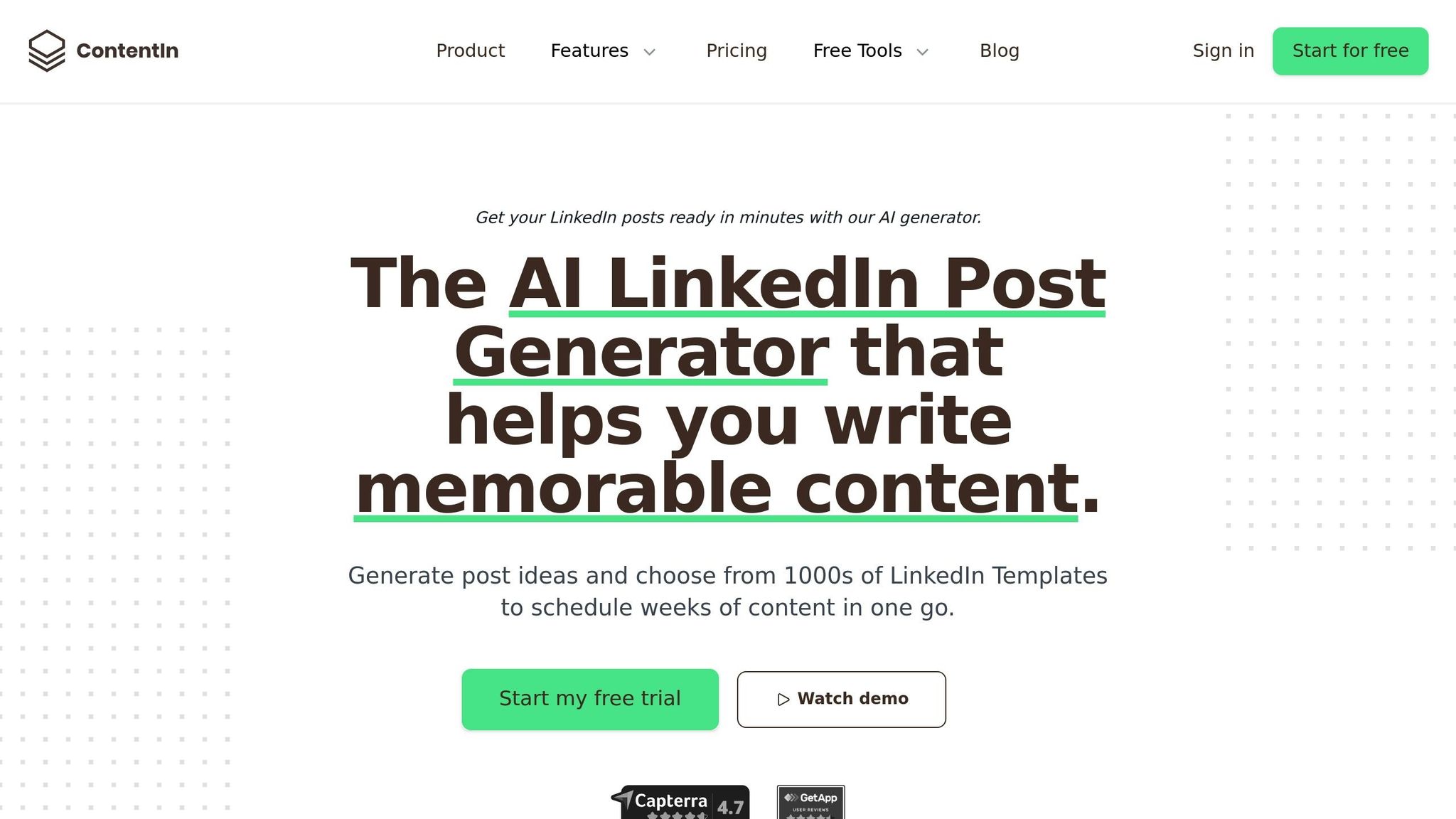
ContentIn stands out as a platform built specifically for LinkedIn users, offering tools designed to strengthen personal branding through custom content creation, smart scheduling, and detailed analytics. By focusing solely on LinkedIn, it ensures every feature is optimized for the platform’s unique style and engagement patterns.
Content Creation
ContentIn’s AI Ghostwriter takes a personalized approach by analyzing your previous posts to craft content that mirrors your voice. Its URL-to-post converter is another standout feature, transforming articles or news links into multiple LinkedIn post variations that align with your perspective. Struggling with ideas? The platform’s AI-powered idea generator suggests topics tailored to your industry and audience, making writer’s block a thing of the past.
Scheduling
The platform’s Smart Scheduling tool identifies the best times to post for maximum engagement, while a drag-and-drop calendar makes planning weekly content simple and intuitive. Another clever feature is first-comment scheduling, which automatically places links in the first comment to avoid LinkedIn’s algorithm penalizing your post’s reach.
Visual Storytelling
ContentIn also excels in visual content. Its one-click quote image generator turns text or statistics into branded graphics, adding visual appeal to your posts. Plus, it supports LinkedIn-native formats like carousels, document posts, and polls – formats that many other scheduling tools struggle to handle.
Lead Generation
To measure your success, ContentIn tracks key metrics like profile views and connection requests, showing how your content is driving professional growth. This is particularly useful when competing for attention on a platform with over 900 million professionals. Plans start at $15/month for the Starter option, while the Growth plan, which includes unlimited scheduling, is priced at $39/month.
With its LinkedIn-specific focus, ContentIn equips users with tools that simplify personal branding and enhance visibility, setting the stage for a closer look at its benefits and limitations.
Pros and Cons
Now that we’ve looked at what each tool brings to the table, let’s break down their core strengths and where they might fall short. Whether you’re focused on creating content, automating outreach, or optimizing your profile, the right choice will depend on your specific goals. Here’s a side-by-side comparison to help you decide:
| Tool | Pricing | Target User | Key Strengths | Main Limitations |
|---|---|---|---|---|
| AuthorityMax | Free to try (no credit card) | Founders, operators, authority-builders | Learns your voice from LinkedIn history; agentic chat guides thinking | Primarily focused on LinkedIn content |
| Taplio | $39/mo to $149/mo | Creators and founders scaling presence | Offers robust analytics and a 3M+ lead database | CRM features only available at the $149/mo tier |
| Expandi | $99/mo per seat | Consultants, founders, sales-driven roles | Cloud-based with dedicated IP for account safety; supports multichannel campaigns | Too complex for basic scraping needs |
| Careerflow | Free (AI Optimizer) | Professionals refining first impressions | Provides profile scores and actionable checklists | Lacks content creation and scheduling tools |
| Gamma | N/A | Creators posting visual content | Creates professional carousels and slides without design expertise | Limited to visual content formats |
| ContentIn | N/A | Solopreneurs and small teams | Offers content templates and plans to beat writer’s block | Less emphasis on adapting to your unique voice |
AuthorityMax stands out for professionals who want to maintain an authentic voice without sounding overly automated. If you’re focused on building credibility, Careerflow offers a strong starting point with its free AI-driven profile optimizer, which helps you improve your first impression before committing to paid tools.
For outreach, Expandi is a safer bet compared to browser extensions. Its cloud-based system, paired with dedicated IP addresses, reduces detection risks while keeping campaigns running around the clock. On the other hand, Taplio combines content creation with lead generation, but unlocking its full CRM capabilities requires the higher $149/month plan.
When it comes to solving niche problems, Gamma and ContentIn deliver focused solutions. Gamma is perfect for non-designers looking to create visually engaging content, while ContentIn helps eliminate writer’s block with ready-to-use templates and content plans.
Ready to leave the job you hate and find the fastest path to online wealth? Learn the best asset you have right now to leverage income and build financial run way in my bestseller "Fire Your Boss." Click here to download the book for free.
If you’re still unsure where to start, consider using Careerflow first to ensure your profile is polished and searchable. After that, you can layer on tools like AuthorityMax for voice authenticity or ContentIn for streamlined, template-driven content creation.
Conclusion
Choosing the right AI tool depends on your goals and where you are in your professional journey. For solopreneurs battling burnout, tools like ContentIn can help create consistent content plans. Corporate professionals looking to boost credibility might find Careerflow’s profile optimizer and AuthorityMax’s voice-driven content invaluable. Meanwhile, entrepreneurs and founders focused on scaling quickly can combine Taplio’s content and lead databases with Expandi for secure, cloud-based outreach.
That said, no tool can build a personal brand on its own. Tools are there to support your efforts, but the strategy, creativity, and insights behind a strong brand come from you. Automation can handle repetitive tasks like drafting and editing, but shaping your unique voice, refining content, and understanding platform nuances require a human touch. Success lies in finding the balance – letting AI handle the heavy lifting while you focus on the vision.
For those ready to level up, Serve No Master offers in-depth training on integrating AI tools into your networking, content creation, and business processes. The platform emphasizes workflows that maintain authenticity while amplifying reach, combining human strategy with AI efficiency. Whether you’re learning to use AuthorityMax for compelling content or Expandi for secure outreach, these courses provide the structure you need to see tangible results.
Start by fine-tuning your profile with Careerflow’s free AI optimizer before committing to paid tools. Then, pick the tool that aligns best with your immediate goals – whether it’s content creation, outreach, or profile enhancement. Success on LinkedIn isn’t about using every tool; it’s about using the right ones with purpose, blending AI’s capabilities with your strategic oversight to achieve impactful results.
FAQs
Which AI tool should I start with for LinkedIn?
Meet Alfred, a leading LinkedIn automation tool that takes the hassle out of outreach, lead generation, and follow-up messaging. With over 150,000 users relying on it, Alfred is built to streamline your networking efforts and help you grow your professional connections with ease.
Will using LinkedIn automation tools risk my account?
Using LinkedIn automation tools comes with potential risks, including account restrictions or even bans. These issues typically arise when the platform detects unusual activity, such as sending too many messages in a short time or relying on overly generic interactions. To keep your account safe, stick to smart practices. Stay within LinkedIn’s usage limits, avoid spamming, and ensure your actions mimic authentic, human-like behavior.
How do I keep my posts sounding like me with AI?
To ensure your AI-generated posts reflect your voice, start by training the AI with your strongest writing samples. Build a style guide that captures your tone, favorite expressions, and key phrases. Adjust tone settings within the tool to match your personality. Tools designed to preserve voice can further enhance this process. Regularly update your writing samples to keep the AI aligned with your evolving style. Finally, review and tweak the AI’s output to maintain consistency and make sure it stays true to your unique way of communicating.
Related Blog Posts
- How to Start a Side Hustle While Working Full Time
- How to Quit Your Job and Work for Yourself in 2026
- How to Validate Business Ideas Before Quitting Your Job
- How ChatGPT Helps Identify Profitable Niches
Ready to leave the job you hate and find the fastest path to online wealth? Learn the best asset you have right now to leverage income and build financial run way in my bestseller "Fire Your Boss." Click here to download the book for free.