

oMLX vs Ollama vs LM Studio: I Tested All Three on a 48 GB Mac
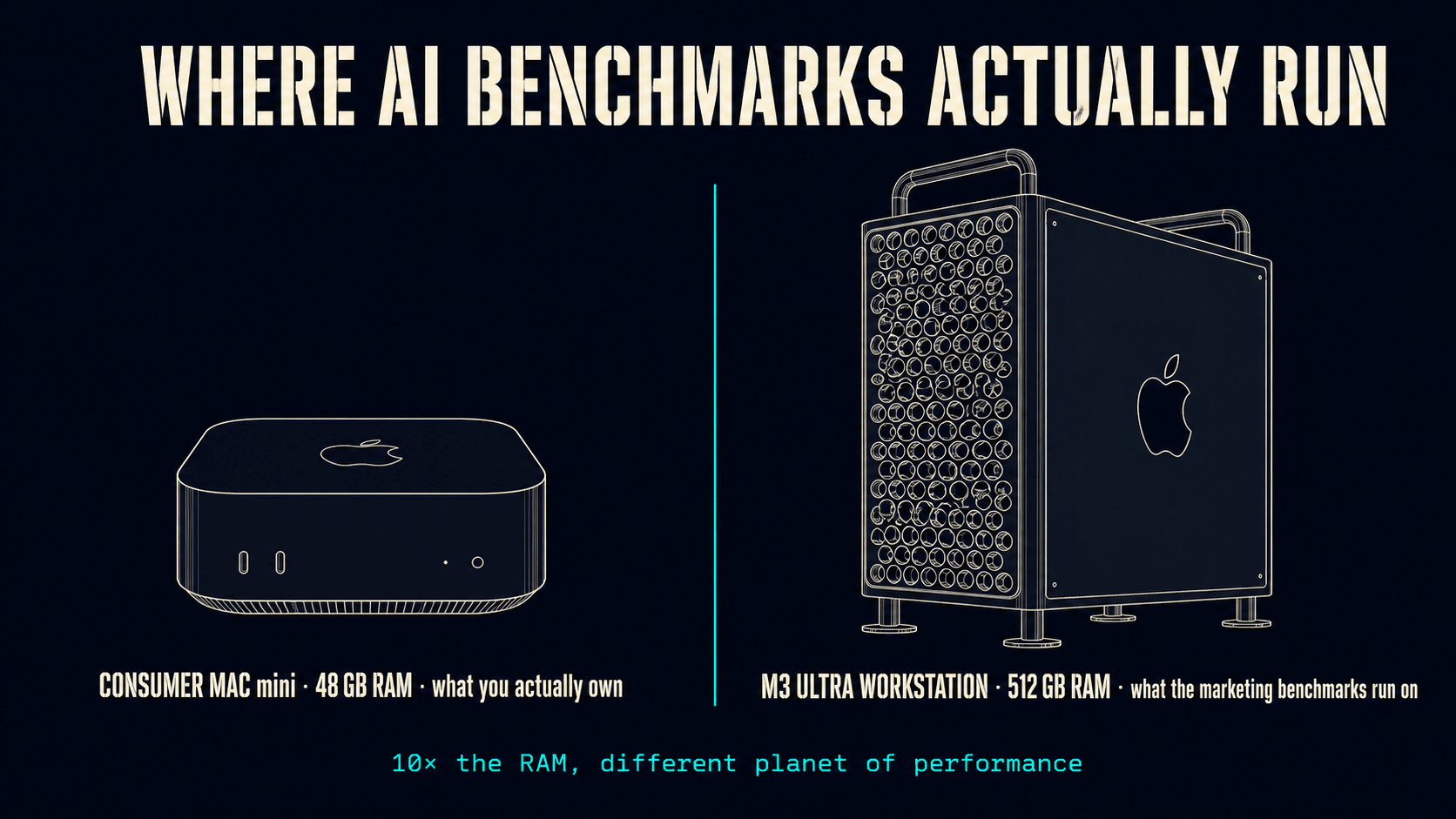
I have spent the last two years running local AI on Macs.
Every new tool that launches in this space gets the same test from me. Same model, same prompts, same machine. No demos. No marketing benchmarks. Just my actual 48 GB M4 Mac mini and the work I do on it every day.
This week I tested a new tool called oMLX, and the test ended with me holding the power button down on my Mac. First hard reboot in 18 months.
Here is exactly what happened.
oMLX has a real engineering pitch. The tool claims it can run AI models that are bigger than your RAM by paging the model cache to your SSD. If that works, a 48 GB Mac can run a 64 GB or 96 GB model that simply cannot load today. On paper that is the most interesting local AI claim of 2026, because RAM is the one Mac resource you can never upgrade after purchase.
So I ran oMLX head-to-head against the two strongest alternatives — Ollama and LM Studio — on the same machine. Here are the numbers, the crash, and the tool I am running for daily work going forward.
Why RAM Is The Whole Game On A Mac
Cloud AI runs on someone else’s hardware at effectively infinite scale. The only constraints are your monthly bill.
Local AI on a Mac is the opposite. The constraints are your machine. A Mac with 16 GB of RAM cannot run a 13 GB model and a browser at the same time. A 48 GB Mac is comfortable up to about a 30 GB model on disk. After that the model has to be quantized, swapped to disk, or shrunk to a smaller architecture.
RAM is the bottleneck. RAM is also the resource you locked in the day you bought the machine.
Any tool that legitimately reduces RAM pressure on local AI is doing something rare and valuable. That is the promise oMLX is built on. That is the reason I bothered to test it at all.
Test A — How Much RAM Each Tool Actually Used
I loaded the same 31 billion parameter model in all three tools, one at a time, on a clean machine. I recorded how much memory each tool reserved.
LM Studio loaded the model and immediately reserved 27.7 GB. Stable. Done.
Ollama reserved 29 GB. Slightly higher. Also stable.
oMLX did something different. At load time it reserved zero RAM. The tool uses a lazy load architecture, which means the model sits on disk until you send the first prompt. After prompt one, oMLX was at 27.4 GB — almost identical to LM Studio. So far so good.
Then I kept the conversation going.
By prompt five, oMLX was sitting at 35.6 GB.
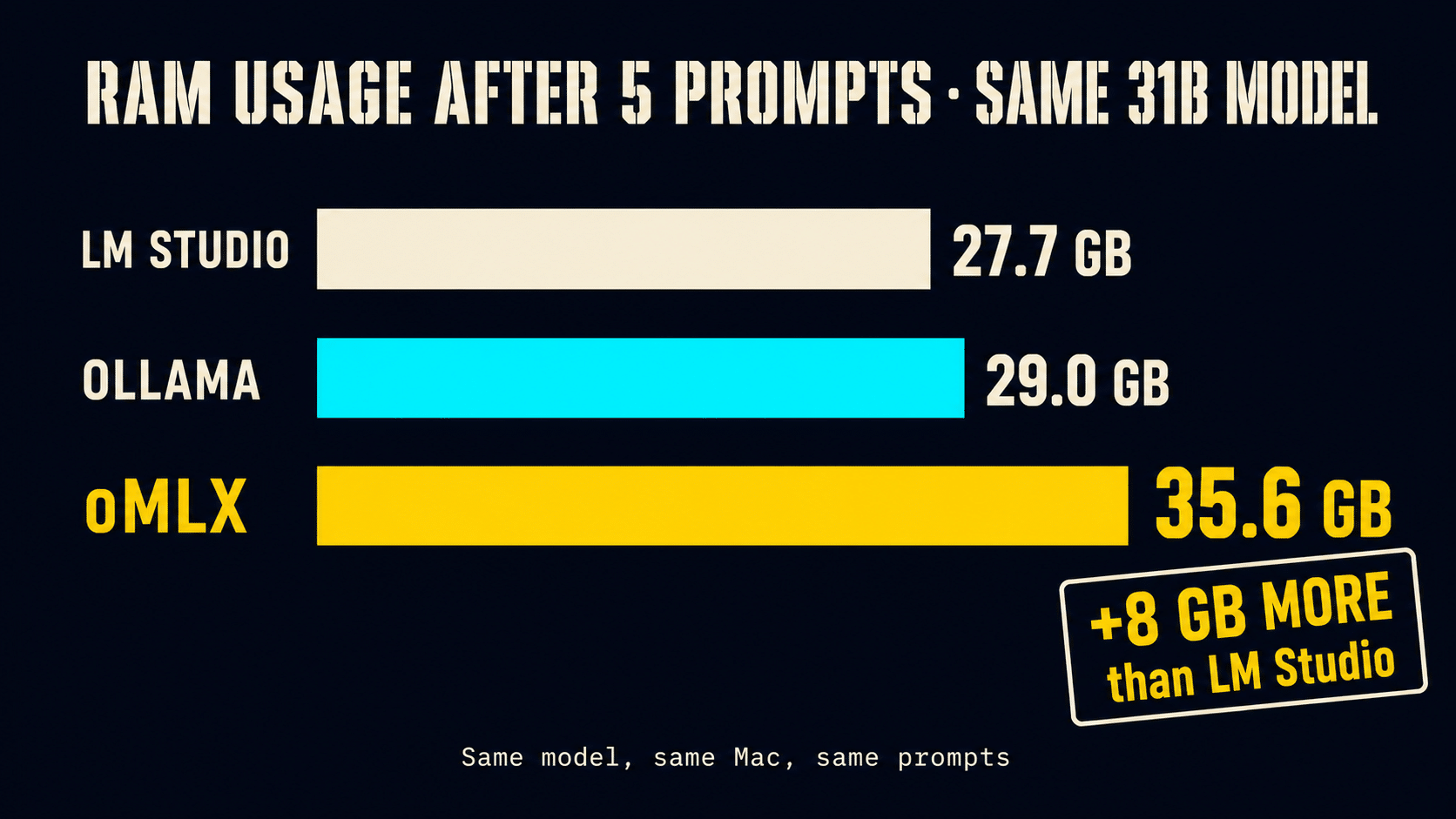
That is 8 GB more than LM Studio uses for the exact same model. On a 16 GB Mac that 8 GB gap is half your machine. On a 48 GB Mac it is a third of your RAM you cannot use for anything else. The lazy load looks great in screenshots and benchmarks. In a real five prompt conversation it loses to both alternatives by a wide margin.
Test B — Five Prompts, Same Code, Different Speeds
I asked each tool to build a Python web scraper across five turns. Architecture, code, CAPTCHA handling, an analytics module, and a final refactor into a proper package. Each prompt builds on the last, which forces the model to retain context across the whole conversation.
This is the workload that stresses cache behavior. Every prompt makes the cache larger and forces the tool to manage more accumulated state.
Ollama finished the conversation in 26 minutes and 30 seconds. Token generation started at 10.25 tokens per second on prompt one and dropped to 8.59 by prompt five — about 16% slower by the end. That is normal cache behavior.
oMLX finished the same conversation in 31 minutes. Token generation stayed at 7.7 tokens per second from prompt one to prompt five. Flat. By prompt five, oMLX was serving half of its tokens from the SSD cache instead of recomputing them.
On paper the flat rate is the engineering win the marketing promises. The longer the conversation runs, the bigger the gap should grow in oMLX’s favor.
The crossover happens around minute 30 of continuous conversation.
Which is to say, almost never. Most AI conversations are minutes long, not hours.
Test C — The Bigger Model That Crashed My Mac
This was the headline test. The whole reason oMLX is interesting.
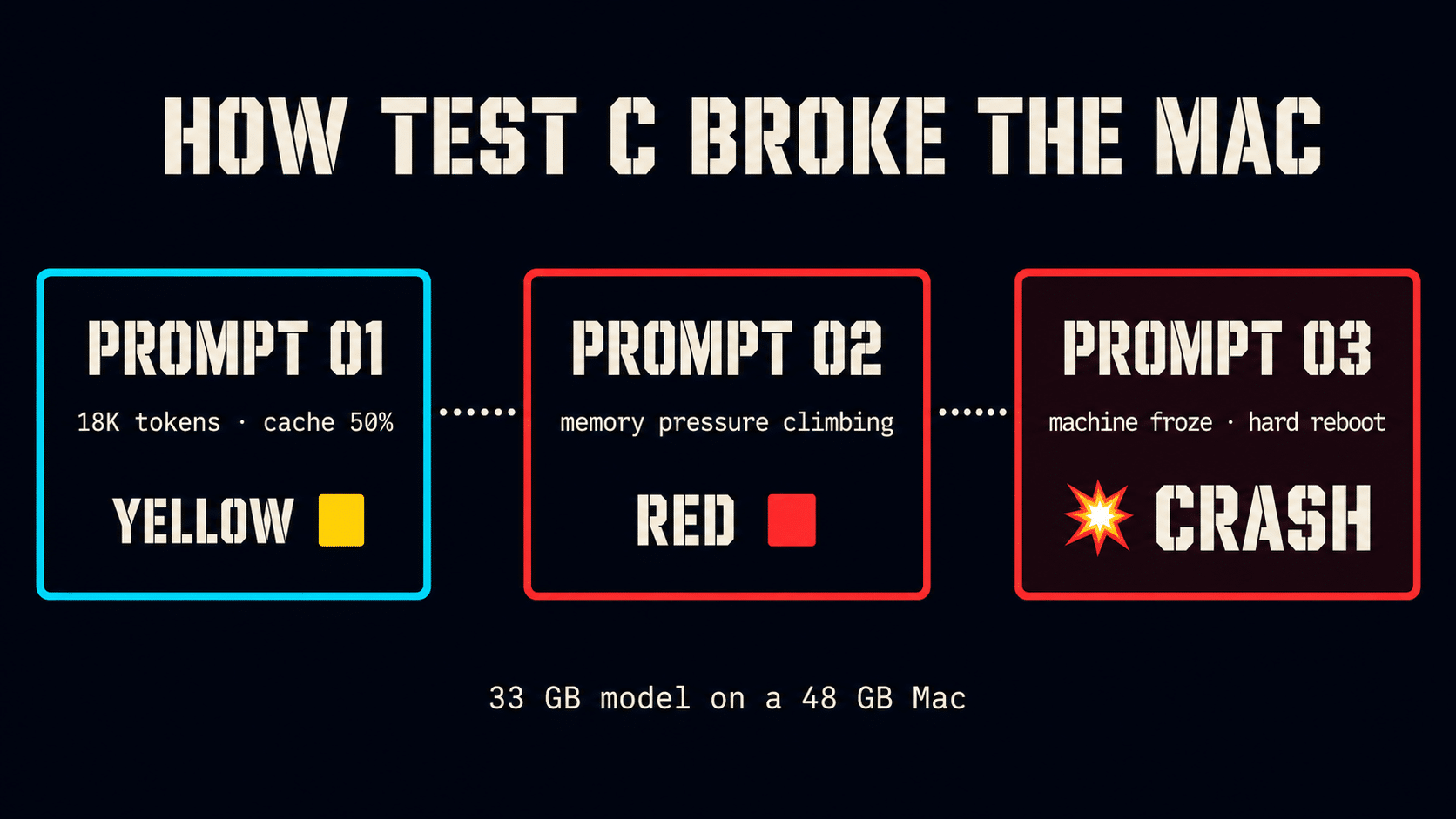
I loaded an 8 bit version of the same model — 33 GB on disk — into oMLX. The 48 GB Mac has 15 GB of headroom for the operating system, browser, and the cache management overhead. If oMLX can run this model, the architecture works on consumer hardware. If it cannot, the marketing claim only applies to workstation hardware.
I started a conversation.
Prompt one finished. 18,000 tokens processed. Cache efficiency 50%. Memory pressure yellow.
Prompt two finished. Memory pressure went from yellow to red.
Prompt three, partway through, my entire Mac froze. The mouse stopped responding. I could not switch applications. I could not open Activity Monitor. I had to hold the power button down and hard reboot the machine.
First crash on this Mac in 18 months.
The SSD cache architecture is real but incomplete. The cache still needs RAM to manage the cache itself. Every block held in memory needs index metadata, lookup structures, and working space for the cache controller. On a 48 GB Mac running a 33 GB model, the overhead pushes the system past the threshold and the whole machine seizes.
The marketing benchmarks that prove the architecture works are run on an M3 Ultra with 512 GB of RAM. On that machine, 33 GB is a rounding error. The cache overhead has no chance of running the system out of memory.
The claim is true at that scale. The claim is not true on the kind of Mac most owners actually have.
The Numbers Side By Side
| Test | LM Studio | Ollama | oMLX |
|---|---|---|---|
| RAM at load (31B model) | 27.7 GB | 29 GB | 0 GB (lazy load) |
| RAM after 5 prompts | 27.7 GB | 29 GB | 35.6 GB |
| 5-prompt conversation time | n/a* | 26 min 30 sec | 31 min |
| Tokens/sec start → end | n/a* | 10.25 → 8.59 | 7.7 → 7.7 |
| 33 GB model on 48 GB Mac | not tested | not tested | crash on prompt 3 |
*Speed comparison was Ollama vs oMLX on the same conversation. LM Studio results in this round are RAM only.
Watch The Crash On Camera
I recorded the full test, including the moment my Mac actually froze. If you want to watch the memory pressure climb prompt by prompt and see the system seize in real time, the 12-minute video walks through every step.
What I Am Running Instead
LM Studio is the strongest default for local AI on a Mac in 2026. The install is two clicks. The interface is built for normal users instead of developers. It stays stable across any conversation length, and its speed on prompt one matches anything else I measured in this round. For most people running local AI on a Mac, LM Studio is the right starting point and probably the ending point.
Ollama earns a slot if you are comfortable with the terminal and want the fastest first token response on short conversations. It is not friendly for a non technical user, but for sub five minute exchanges it remains the fastest tool I have measured.
oMLX is interesting research. The architecture is real, the engineering is novel, and the team is solving a problem nobody else has fully solved. But the tool is not yet ready for a daily driver on a consumer Mac. If you have a Mac Studio with 256 GB or 512 GB of unified memory, oMLX is worth a look because the cache overhead becomes irrelevant. If you have a 48 GB Mac mini or a 32 GB MacBook Air, oMLX will use more RAM than your alternatives and freeze your machine the first time you try its headline feature.
The team will likely fix this. The architecture has room to scale down. As of this test it is not there yet.
You either pick local AI tools based on real tests on your actual hardware, or you pick them based on someone else’s benchmark on someone else’s machine. One of those choices wastes a week debugging a tool that was never going to work for you.
The other one tells you exactly what to run.