

Claude Code Agent View Burns Your Tokens While You Sleep
I found a way for Claude Code to spend your money while you’re not even looking at it.
Anthropic just shipped a new feature for Claude Code called Agent View. It’s supposed to let you run a bunch of AI sessions inside one terminal tab and manage all of them from a single dashboard. One window. Every agent. Little status lights telling you who needs you.
I tested it.
I’m never using it again.
Not because the buttons are ugly. Not because I had a bad day. I’m never using it because somewhere in that test I found a way for this thing to silently chew through your API credits, or quietly eat your Max plan rate limit, while you sit at your desk thinking the agent is turned off.
Here’s the verdict before I show you the receipts: skip this update. Don’t turn it on. Wait until Anthropic adds a menu bar indicator, a still-running warning when you close your terminal, and real folder isolation between sessions. Until those three things exist, this feature is a bet against your own wallet.
Want to master ChatGPT in a single day? Download my bestseller "ChatGPT Profits" absolutely free. Click here to download the book.
Now let me show you why.
What Anthropic Says Agent View Does
Anthropic published four things about this feature.
One. You get one terminal tab that manages every parallel session, with little status indicators. Yellow means the agent needs your input. Green means it’s done.
Two. You press the left arrow from any session and you jump back to the dashboard. Right arrow takes you back in.
Three. You can drop the session you’re already in into the dashboard by typing /bg.
Four — and this is the part everyone got excited about — you can type /goal, give it an objective, and the agent will run on its own until it hits that goal. Think Karpathy’s auto-research loop, but baked right into Claude Code.
So I ran a real test. I gave it four tasks at the same time. A research task on captioning tools. A code audit on one of my repos. A vague request to draft a LinkedIn post. And a synthesis task to summarize a folder of documentation.
Four real tasks. Four parallel agents. One window. The exact thing this feature was built for.
It fell apart fast.
Failure One: Four Agents, One Folder, Zero Isolation
The four agents were all sitting in the same folder. Same disk. Same working directory. Same everything.
The code audit agent came back and told me there was no source directory in the folder I gave it.
And it was right.
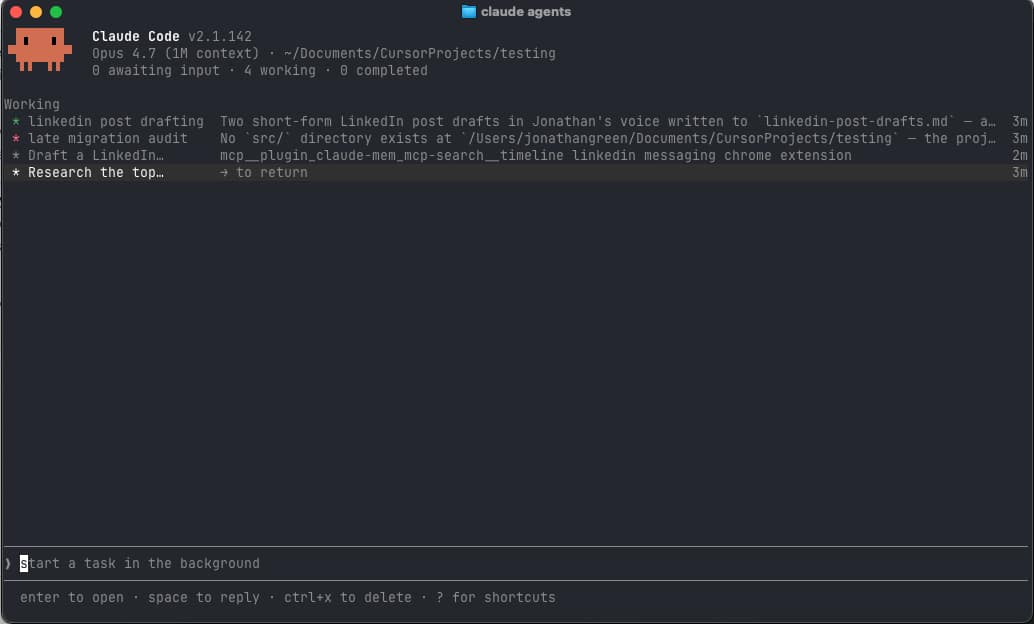
I’d handed that prompt to the same folder as the other three. They were literally about to start writing on top of each other. Four agents reaching into one directory at the same time, no walls between them.
This isn’t a dashboard for parallel work. This is the illusion of parallel work.
Failure Two: The Asterisk That Won’t Stop Flashing
Every running session gets a little colored asterisk next to it. And the asterisks flash. Constantly. Like a Christmas tree had a stroke.
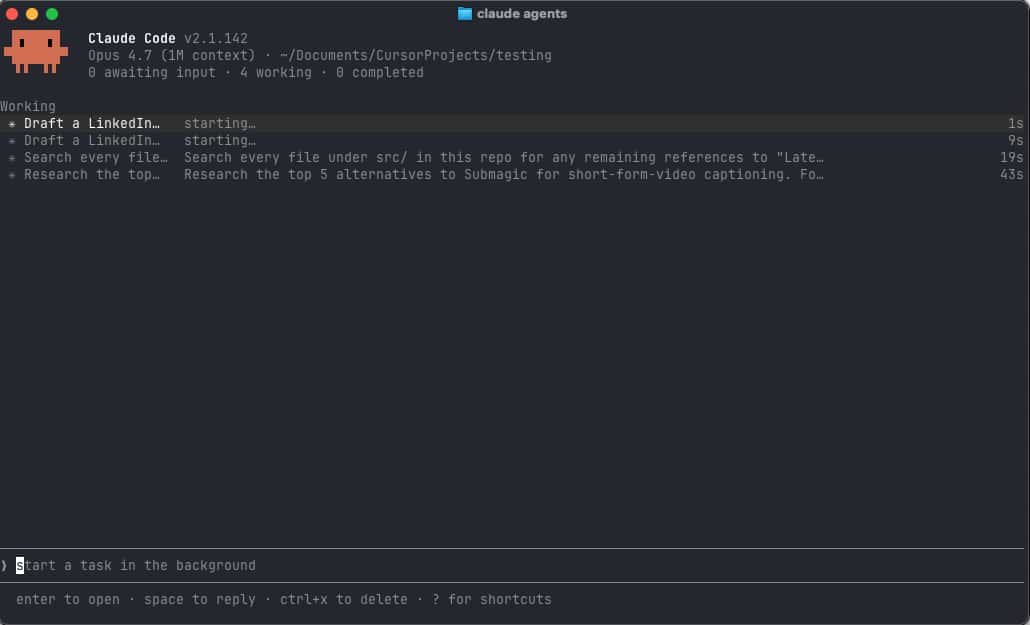
My eyes were exhausted almost immediately. I cannot imagine staring at this screen for a full workday.
Whoever designed this either forgot that humans have eyeballs, or they were testing it on a phone they could put face-down on the desk.
There is no setting to turn the flashing off. It is just there. Forever. Looking at you.
Failure Three: Parallel for No Reason
The four tasks I gave it were the kind of tasks you’d normally run one after another. Research a thing. Then audit some code. Then draft a post. Then summarize a folder.
Sequential work.
Now, you could argue parallel is faster. Sure. Except all four agents were fighting for the same CPU, the same RAM, the same disk, and the same folder. So they got slower, not faster.
The whole point of running things in parallel is to take advantage of separate resources. There were no separate resources here. Just four agents elbowing each other for the same machine.
Failure Four: The Zombie Agent That Costs Real Money
This is the one that should have stopped the launch.
I ran one final test. I gave the agent view a dead-simple task. Count. One number per second. That’s it.
Then I quit my terminal.
Not closed the tab. Not closed the session window. I quit the entire Ghostty application with Cmd+Q. Full app quit.
Then I opened Ghostty back up, in a completely different folder, typed claude agents, and the counting agent was still running.
Still counting.
Still burning compute.
Anthropic puts this right in the empty dashboard. They tell you, word for word, “It keeps running even after you close this terminal.”
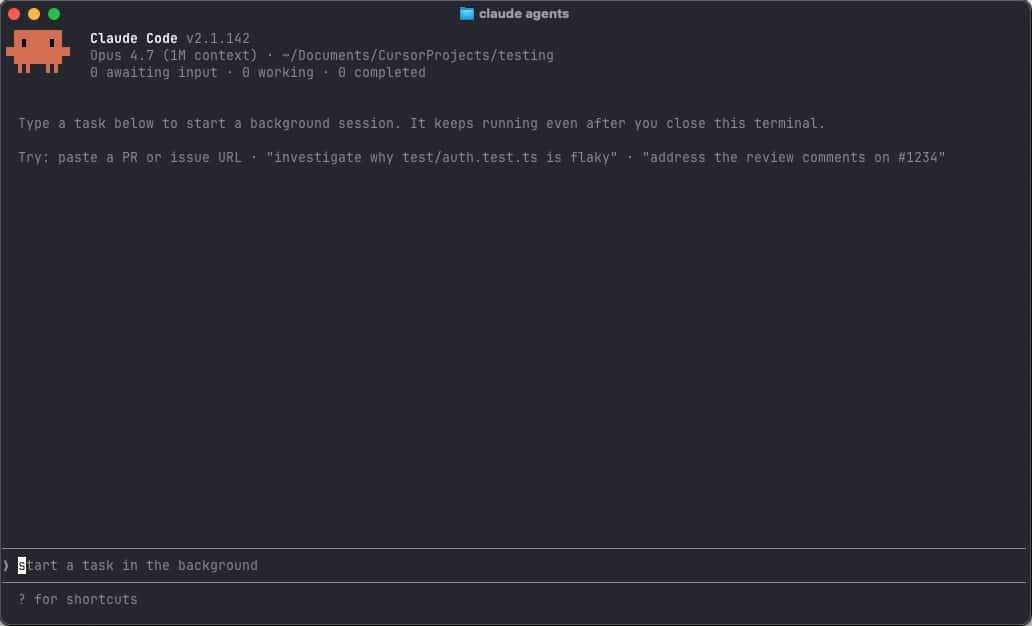
What they don’t put on the screen is what that actually means for you.
If you use the API, your wallet is now exposed. You think you turned the agent off when you closed the terminal. It’s still going. If it was running a /goal loop that never converged, that loop will iterate for hours. You pay for every single token.
If you’re on a Max plan, your rate limit is being eaten invisibly. You’ll hit your cap in the middle of the afternoon and have no idea why.
There is no system tray icon. There is no menu bar indicator. There is no notification when you quit that says, hey, you’ve got an agent still running. There is no “are you sure you want to close this while agents are alive” warning.
Nothing.
The only way to find out the zombie exists is to remember, much later, to open a new terminal and type claude agents. Then you discover the corpse you forgot you started, still happily eating tokens.
Who Is This Feature Actually For?
Here’s the question Anthropic should have asked before shipping.
It can’t be for beginners. A beginner isn’t in the command line. A beginner is using the VS Code extension or the desktop app. Beginners aren’t running four parallel terminal sessions. They’re trying to get one chat to work.
So it must be for advanced users. Except every advanced user already solved this. We already have terminal multiplexers. We already have parallel work tools. We already have desktop apps that wrap Claude Code with real isolation, real notifications, and an actual menu bar icon that tells us when agents are running.
The advanced user doesn’t need this. Especially not in a version that can leak tokens overnight.
So it lands in the worst possible middle ground. Too technical for the people who’d need it. Too underdeveloped for the people who could use it.
Want to master ChatGPT in a single day? Download my bestseller "ChatGPT Profits" absolutely free. Click here to download the book.
The Verdict: Skip This Update
I want this feature to be good. The idea of one tab managing all my agents is great. The idea of /goal running an autonomous loop overnight is great.
The execution is the problem.
None of these failures are fundamental. They’re all fixable. Anthropic could ship a notification icon. They could add a quit warning. They could put each agent in its own subdirectory. None of this is hard. They just didn’t do it before they shipped.
So here’s where I land. Skip this update. Don’t turn it on. Don’t /bg anything. Don’t /goal anything. Wait until Anthropic adds, at minimum, a menu bar indicator, a still-running warning when you close your terminal, and folder isolation between parallel sessions.
When all three exist, come back and try again.
Until then, the four-agent dashboard is a four-agent zombie generator. And no productivity gain on earth is worth a runaway agent burning your credits while you’re asleep.
Want to master ChatGPT in a single day? Download my bestseller "ChatGPT Profits" absolutely free. Click here to download the book.