

How I Saved 3 Million Claude Code Tokens With Three Free Plugins
I cut my Claude Code token usage so far down that I stopped noticing the weekly cap.
That’s not a marketing number. It’s the actual count sitting in a little tracking file on my Mac. And the part of it that keeps score has been switched off for a while now, so the real number is bigger than what I’m quoting.
I didn’t do it by upgrading my Claude Max plan.
I didn’t do it by being clever with prompts.
I installed three free plugins. One of them did most of the work. The other two changed how my AI agent thinks about the projects I’m working on. Combined, they pushed my Claude Code usage from “constantly hitting the weekly cap” to “I forget the cap exists.”
I’m going to show you exactly what they are, when to install each one, and the order to add them to your stack.
Want to master ChatGPT in a single day? Download my bestseller "ChatGPT Profits" absolutely free. Click here to download the book.
Why Your Tokens Disappear Faster Than They Should
Most people I talk to assume their Claude Max subscription is being eaten by their actual work. It’s not.
The tank is being drained by the agent searching for things it doesn’t know where to find. Every time you ask Claude Code to fix a bug or change a function, the agent has to go hunting for the right piece of code. It opens one file. Then another. Then another. By the time it lands on the function you asked about, it has burned through thousands of tokens just looking.
Same thing happens with raw data. The agent visits a webpage. A single page can dump 50,000 characters into your context window — most of it junk the agent doesn’t even care about. Stack a few of those together and your context window is full.
When the context window fills up, the agent doesn’t just keep going.
It does something called compacting. That word sounds harmless, like it’s tidying up. It’s not. Compacting takes everything you’ve discussed so far, summarizes it down to one short paragraph, and forgets the rest. The hour you spent explaining your project, your goals, the three specific things you’re working on? Gone. The agent keeps the one thing it thinks is most important and throws out the other 90%.
Now you’re working with an AI that forgot most of what you told it.
That’s the real cost. It’s not the agent slowing down. It’s the agent forgetting.
The three plugins below attack that problem from three different angles.
Plugin One — JcodeMunch (The One With The Receipt)
JcodeMunch is the plugin that did the heavy lifting, and it’s free to install.
Here’s what it does. When you ask Claude Code to find a function or change something in your codebase, the agent normally opens file after file searching for the right piece. JcodeMunch indexes your whole codebase once and gives the agent a shortcut. Instead of opening thirty files trying to find a function, the agent just asks for the function by name. It gets back exactly the right piece — the code, the outline, where else it’s used. Surgical. One thing at a time.

Here’s the receipt. I pulled this up right before writing this post.
The savings tracker on my main M1 Mac mini shows 2,945,023 tokens saved.
Add the M4 I also run Claude Code on, that’s another 189,919 tokens.
Combined: 3,134,942 tokens saved.
And remember — the tracking script has been switched off, so the real number is meaningfully higher. I just stopped logging it.
On the Max plan, that number doesn’t translate to a dollar amount because you don’t pay per token. But every token JcodeMunch saved me is a token that didn’t push me toward the usage cap. Translated to your subscription, that’s more sessions of Claude Code before that rate limit shuts you down. More headroom on the weekly cap too.
If you’re using the API instead of the Max plan, those saved tokens are real dollars — hundreds of them, depending on the model you’re using.
JcodeMunch is the always-on plugin. Doesn’t matter what project you’re working on. Doesn’t matter if it’s code, content, or both.
Install it.
Plugin Two — Context-Mode (The Silent Killer Fix)
The second plugin solves the problem you don’t know you have.
It’s called context-mode. 15,400 stars on GitHub. Works on 15 different AI platforms.
Remember the raw data dump problem? The webpage that dumps 50,000 characters into your context window? Context-mode catches that raw text before it ever hits your context window. It puts the dump in a separate searchable storage file off to the side and only feeds the agent a clean summary or the specific part it actually needs.
The result, according to the project’s own description, is 98% less context window usage from those raw data dumps.

I believe that number. I see the difference in session after session.
The reason that matters isn’t just token savings. It’s the compacting problem I described above. Compacting only triggers when your context fills up. If context-mode keeps your context window from filling up, the agent stops forgetting things mid-task. You ask it to keep three goals straight, and you can keep working without watching the AI lose half of them.
Here’s something worth noticing. 15,400 stars on GitHub is not a niche experiment. More people use this plugin than the trending one I’m going to talk about next.
Install context-mode. Always-on. No conditions.
Plugin Three — Graphify (Conditional, But Powerful)
The third plugin is the only one I’m not going to tell you to install no matter what.
Graphify is free, open source, MIT licensed.
Here’s the one specific situation Graphify is for. You’re working on a coding project. The project is large enough that the agent is constantly losing the thread. And you keep watching your context window fill up because the agent reads file after file before it finds the right one.
Graphify scans the whole project once and builds a knowledge map of everything in it. Code, documentation, even research papers and images sitting in your repo. It pulls out the structure, what’s connected to what, what the key modules are. Then it stores that map in a file.
Now when the agent asks where the function that handles payments lives, it queries the map instead of opening file after file looking for it. It gets back the right files, the right pieces, the right context — and you can put a hard token budget on how much comes back.
There’s a trending competitor called Understand Anything with 14,000 stars on GitHub. It does about a third of what Graphify does. It only handles code. It doesn’t budget the output. And reviewers have reported the first scan burning about 25% of a Claude Max rate limit.
Read that again.
25% of a weekly rate limit. On the first scan. To set up a tool that’s supposed to save you tokens.
That’s the difference. Graphify handles code plus documents plus papers plus images. You can re-run it incrementally so the cost stays low. You can budget the output so it never blows up your context window.
The reason Graphify is conditional is the upfront cost. The first scan does use tokens — it has to read your whole project to build the map. On a small repo or a non-coding project, you have to weigh that upfront cost against the payoff, and it usually isn’t worth it. So don’t install Graphify preemptively. Wait until you’re actually hitting the wall on a real coding project, then add it.
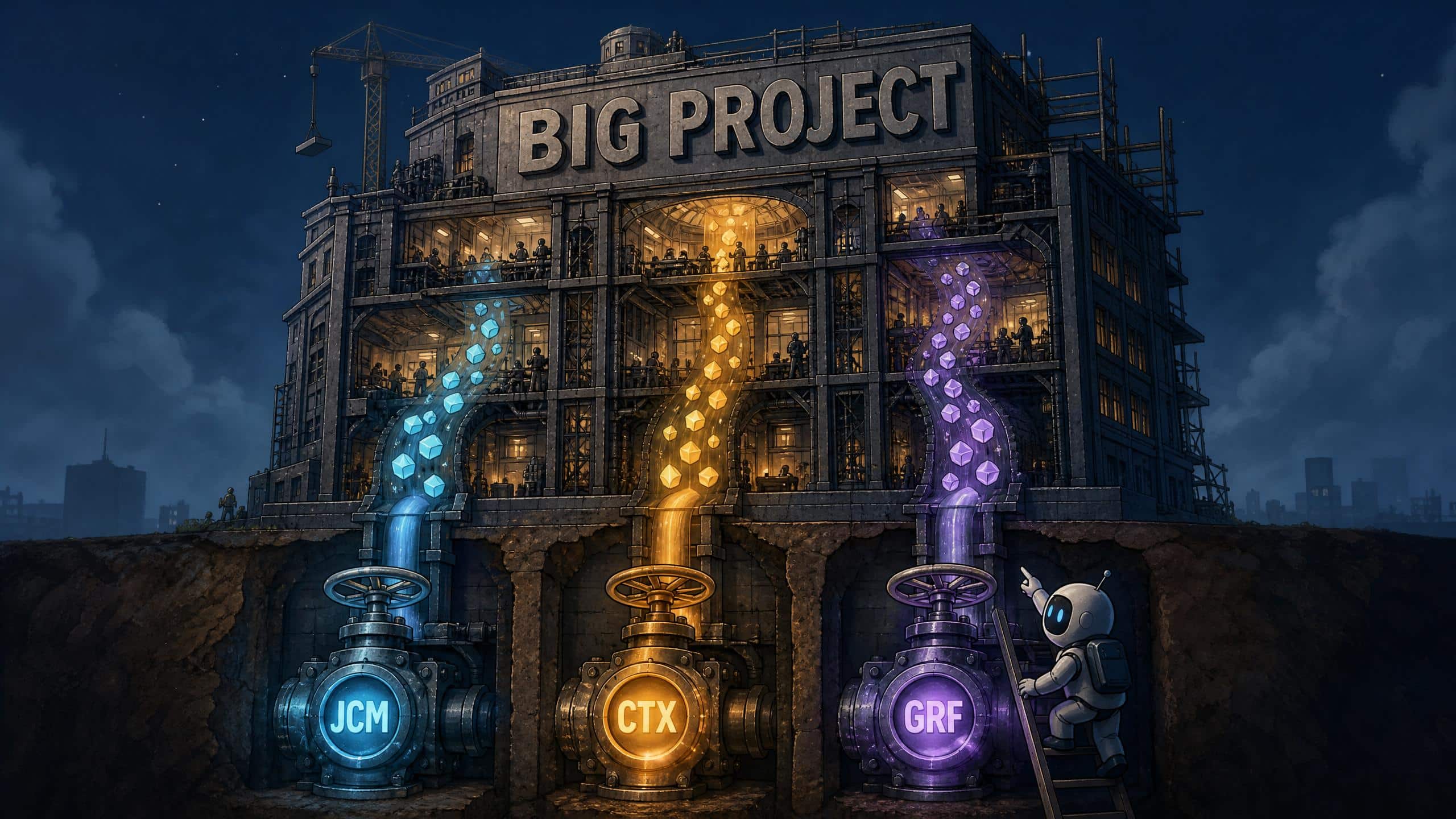
The Stack — In Order
Here’s the order.
JcodeMunch first. Install it no matter what. That’s the one with the receipt — the savings tracker proves it, and it’s the floor, not the ceiling.
Context-mode second. Install it no matter what. It catches the raw data dumps that fill your context window without you noticing and prevents the compacting that makes the agent forget. 15,000 stars on GitHub for a reason.
Want to master ChatGPT in a single day? Download my bestseller "ChatGPT Profits" absolutely free. Click here to download the book.
Graphify third. Only if you’re working on a large coding project that’s hitting the context wall. Don’t install it preemptively — wait until you actually need it.
Two always-on. One conditional.
That’s the stack.
Why This Compounds
The savings start the first session you install JcodeMunch. They compound from there.
Your Max plan subscription gets meaningfully longer before the rate limit shuts you down. Your API bill gets meaningfully smaller. And the agent stops forgetting things mid-task — which means the work you do with it actually moves forward instead of being re-explained on every fresh session.
This is the difference between Claude Code feeling like an assistant and Claude Code feeling like a friend who already knows your project.
Three free plugins.
Install them in order.
Want to master ChatGPT in a single day? Download my bestseller "ChatGPT Profits" absolutely free. Click here to download the book.

